We regret to inform you that due to business adjustments, ESR will cease online sales in your area.
Cart 0
  • Designed for MagSafe
    • All MagSafe Products
      • Wireless Charging
      • Car Charger & Mounts
      • Charging Stands
      • MagSafe Cases
      • MagSafe Wallets
      • Power Banks
      • MagSafe Rings & Wall Mounts
      • Best MagSafe Bundles
    • Magsafe in Life
      • Desk Charging
      • Shop Auto
      • Travel Essentials
      • Workspace Power
      • Find My Technology
      • Gift Guide
  • Protection By Device
    • All Cases
      • iPhone
      • iPad🔥
      • Airpods
      • Samsung
    • Screen Protection
      • iPhone
      • iPad🔥
      • Apple Watch & Airtag
      • Samsung
      • For Tesla
    • iPad Productivity
      • Keyboards🔥
      • Styluses
    • Accessories
      • All Accessories
      • iPhone 16
      • iPhone 16e🔥
      • iPhone 16 Pro Max
      • iPhone 16 Pro
      • iPhone 16 Plus
      • iPhone 16
      • iPhone 15
      • iPhone 15 Pro Max
      • iPhone 15 Pro
      • iPhone 15 Plus
      • iPhone 15
      • iPhone 14
      • iPhone 14 Pro Max
      • iPhone 14 Pro
      • iPhone 14 Plus
      • iPhone 14
      • iPhone 13
      • iPhone 13 Pro Max
      • iPhone 13 Pro
      • iPhone 13
      • Other iPhone Series
      • Other iPhone Series
        Choose Your Device
      • iPad 11th Gen (2025)🔥
      • iPad Air 13 (2025)🔥
      • iPad Air 11 (2025)🔥
      •  
      • iPad Pro 13 (2024)
      • iPad Pro 11 (2024)
      • iPad Air 13 (2024)
      • iPad Air 11 (2024)
      • iPad mini 7 (2024)
      •  
      • iPad Pro 12.9 (2022)
      • iPad Pro 11 (2022)
      • iPad Air 5/4 (2022)
      • iPad 10th Gen (2022)
      •  
      • iPad mini 6 (2021)
      • iPad Pro 12.9 (2021)
      • iPad Pro 11 (2021)
      • iPad Pro 11 (2020)
        Choose Your Device
      • AirPods 4
      • AirPods Pro (2023/2022/2019)
      • AirPods 3
        Galaxy S25
      • Galaxy S25 Ultra
      • Galaxy S25+
      • Galaxy S24
      • Galaxy S24 Ultra
      • Galaxy S24+
      • Galaxy S24
      • Galaxy S23
      • Galaxy S23 Ultra
      • Galaxy S23
        iPhone 16
      • iPhone 16e🔥
      • iPhone 16 Pro Max
      • iPhone 16 Pro
      • iPhone 16 Plus
      • iPhone 16
      • iPhone 15
      • iPhone 15 Pro Max
      • iPhone 15 Pro
      • iPhone 15 Plus
      • iPhone 15
      • iPhone 14
      • iPhone 14 Pro Max
      • iPhone 14 Pro
      • iPhone 14 Plus
      • iPhone 14
      • iPhone 13
      • iPhone 13 Pro Max
      • iPhone 13/13 Pro
        Choose Your Device
      • iPad 11th Gen (2025)🔥
      • iPad Air 13 (2025)🔥
      • iPad Air 11 (2025)🔥
      •  
      • iPad Pro 13 (2024)
      • iPad Pro 11 (2024)
      • iPad Air 13 (2024)
      • iPad Air 11 (2024)
      •  
      • iPad Pro 12.9 (6th/5th/4th/3rd Gen)
      • iPad Pro 11 (4th/3rd/2nd/1st Gen)
      • iPad Air 5/4 (2022)
      • iPad 10th Gen (2022)
      •  
         
      • Apple Watch & Airtag
        Galaxy S25
      • Galaxy S25 Ultra
      • Galaxy S24
      • Galaxy S24 Ultra
      • Galaxy S23
      • Galaxy S23 Ultra
      • Galaxy S23+
      • Galaxy S23
      • Galaxy S22
      • Galaxy S22 Ultra
      • Other Samsung Series
      • Galaxy S21+
      • Galaxy S21
         
      • Tesla Tempered-Glass Touchscreen Protector
        Choose Your Device
      • iPad 11th Gen (2025)🔥
      • iPad Air 13 (2025)🔥
      • iPad Air 11 (2025)🔥
      •  
      • iPad Pro 13 (2024)
      • iPad Pro 11 (2024)
      • iPad Air 13 (2024)
      • iPad Air 11 (2024)
      •  
      • iPad Pro 12.9 (6th/5th/4th/3rd)
      • iPad Pro 11 (4th/3rd/2nd/1st)
      • iPad Air 5/4 (2022)
      • iPad 10th Gen (2022)
         
      • Styluses
         
      • Magnetic Wallet
      • MagSafe Rings & Mounts
      • Other Accessories
  • New Arrival
    • iPad 2025 Series
    • iPhone 16e
    • Galaxy S25 Series
    • Protect Your iPhone 16 Camera Control Button
    • 15W Qi2 Wireless Charging
  • Support
    • Product Videos & FAQs
    • General FAQ
  • Explore
    • About Us
    • ESR Blog
    • Newsroom
    • Become a Reseller
My Account
Log in Register
English
  • Designed for MagSafe
    • All MagSafe Products
      • Wireless Charging
      • Car Charger & Mounts
      • Charging Stands
      • MagSafe Cases
      • MagSafe Wallets
      • Power Banks
      • MagSafe Rings & Wall Mounts
      • Best MagSafe Bundles
    • Magsafe in Life
      • Desk Charging
      • Shop Auto
      • Travel Essentials
      • Workspace Power
      • Find My Technology
      • Gift Guide
    • Wireless Charging
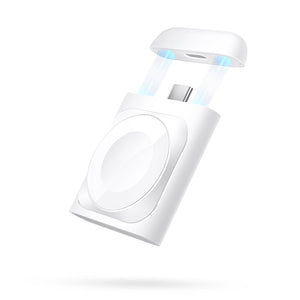
      • Portable Charger for Apple Watch - White

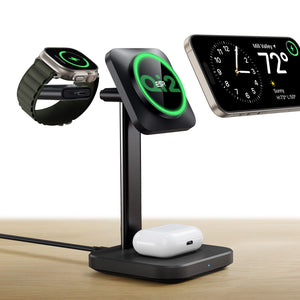
      • Qi2 3-in-1 Watch Wireless Charging Set (HaloLock) - Black - US PLUG

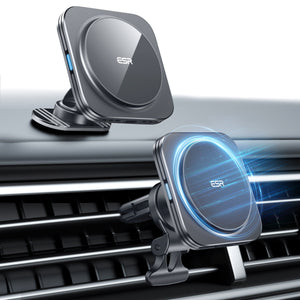
      • Magnetic Wireless Car Charger (HaloLock) - Grey

      • Universal Ring 360 (HaloLock) - White-2 Pack

      • All Wireless Charging >
      Charging Stands
      • Qi2 3-in-1 Watch Wireless Charging Set (HaloLock) - Black - EU PLUG

      • CryoBoost™ Pro Bundle (HaloLock) - US Plug

      • MagSafe Charger with CryoBoost Everyday Bundle - EU Plug

      • Magsafe Charger One-Stop Bundle - Black/White

      • All Charging Stands >
      MagSafe Cases
      • iPhone 16 Pro Max Cyber Tough Case with Stash Stand Privacy Protection Bundle - Black

      • iPhone 16 Pro Max HaloLock Classic Hybrid Case (Camera Control) - Clear

      • iPhone 16 Pro Max HaloLock Classic Hybrid Case (Camera Control, Stash Stand) - Clear

      • iPhone 16 Pro Max Zero Clear Case (HaloLock) - Clear

      • All MagSafe Cases >
      MagSafe Wallets
      • Geo Wallet Stand (HaloLock) with Built-in Find My - Midnight Black

      • Geo Wallet Boost (HaloLock) - Grey

      • Magnetic Wallet Boost (HaloLock) - Black

      • Grip Wallet Stand (HaloLock) - Black Carbon Fiber

      • All MagSafe Wallets >
      Power Banks
      • Qi2 MagSlim Kickstand Power Bank (10K) - Black

      • Qi2 MagSlim Power Bank (5K) - Black

      • Qi2 MagSlim Power Bank (10K) - Blue

      • Qi2 5,000 mAh MagSlim Kickstand Power Bank - White

      • All Power Banks >
      MagSafe Rings & Wall Mounts
      • Airplane Phone Holder Mount (HaloLock) - Black

      • Ring Stand (HaloLock) - Sierra Blue

      • Universal Ring (HaloLock) - Black/Silver-4 Pack

      • Universal Ring 360 (HaloLock) - White-2 Pack

      • All MagSafe Rings & Wall Mounts >
      Desk Charging
      • Qi2 mini Kickstand Wireless Charger (HaloLock) - Dark Blue

      • CryoBoost™ Pro Bundle (HaloLock) - US Plug

      • Kickstand MagSafe Compatible Wireless Charger (HaloLock) - Black

      • HaloLock™ 3-in-1 Travel Wireless Charging Set - Black - US Plug

      • All Desk Charging >
      Find My Technology
      • Geo Wallet Stand (HaloLock) with Built-in Find My - Midnight Black

      • Geo Wallet Boost (HaloLock) - Grey

      • Geo Digital Pencil with Built-in Find My - White

      • All Find My Technology >
      Gift Guide
      • Geo Wallet Boost (HaloLock) - Brown

      • Qi2 3-in-1 Travel Wireless Charging Set - White - US Plug

      • Qi2 MagSlim Power Bank (10K) - Blue

      • AirPods 4 Cyber FlickLock Case (HaloLock) - Titanium

      • All Gift Guide >
  • Protection By Device
    • All Cases
      • iPhone
      • iPad🔥
      • Airpods
      • Samsung
    • Screen Protection
      • iPhone
      • iPad🔥
      • Apple Watch & Airtag
      • Samsung
      • For Tesla
    • iPad Productivity
      • Keyboards🔥
      • Styluses
    • Accessories
      • All Accessories
      • iPhone 16
      • iPhone 16e🔥
      • iPhone 16 Pro Max
      • iPhone 16 Pro
      • iPhone 16 Plus
      • iPhone 16
      • iPhone 15
      • iPhone 15 Pro Max
      • iPhone 15 Pro
      • iPhone 15 Plus
      • iPhone 15
      • iPhone 14
      • iPhone 14 Pro Max
      • iPhone 14 Pro
      • iPhone 14 Plus
      • iPhone 14
      • iPhone 13
      • iPhone 13 Pro Max
      • iPhone 13 Pro
      • iPhone 13
      • Other iPhone Series
      • Other iPhone Series
        Choose Your Device
      • iPad 11th Gen (2025)🔥
      • iPad Air 13 (2025)🔥
      • iPad Air 11 (2025)🔥
      •  
      • iPad Pro 13 (2024)
      • iPad Pro 11 (2024)
      • iPad Air 13 (2024)
      • iPad Air 11 (2024)
      • iPad mini 7 (2024)
      •  
      • iPad Pro 12.9 (2022)
      • iPad Pro 11 (2022)
      • iPad Air 5/4 (2022)
      • iPad 10th Gen (2022)
      •  
      • iPad mini 6 (2021)
      • iPad Pro 12.9 (2021)
      • iPad Pro 11 (2021)
      • iPad Pro 11 (2020)
        Choose Your Device
      • AirPods 4
      • AirPods Pro (2023/2022/2019)
      • AirPods 3
        Galaxy S25
      • Galaxy S25 Ultra
      • Galaxy S25+
      • Galaxy S24
      • Galaxy S24 Ultra
      • Galaxy S24+
      • Galaxy S24
      • Galaxy S23
      • Galaxy S23 Ultra
      • Galaxy S23
        iPhone 16
      • iPhone 16e🔥
      • iPhone 16 Pro Max
      • iPhone 16 Pro
      • iPhone 16 Plus
      • iPhone 16
      • iPhone 15
      • iPhone 15 Pro Max
      • iPhone 15 Pro
      • iPhone 15 Plus
      • iPhone 15
      • iPhone 14
      • iPhone 14 Pro Max
      • iPhone 14 Pro
      • iPhone 14 Plus
      • iPhone 14
      • iPhone 13
      • iPhone 13 Pro Max
      • iPhone 13/13 Pro
        Choose Your Device
      • iPad 11th Gen (2025)🔥
      • iPad Air 13 (2025)🔥
      • iPad Air 11 (2025)🔥
      •  
      • iPad Pro 13 (2024)
      • iPad Pro 11 (2024)
      • iPad Air 13 (2024)
      • iPad Air 11 (2024)
      •  
      • iPad Pro 12.9 (6th/5th/4th/3rd Gen)
      • iPad Pro 11 (4th/3rd/2nd/1st Gen)
      • iPad Air 5/4 (2022)
      • iPad 10th Gen (2022)
      •  
         
      • Apple Watch & Airtag
        Galaxy S25
      • Galaxy S25 Ultra
      • Galaxy S24
      • Galaxy S24 Ultra
      • Galaxy S23
      • Galaxy S23 Ultra
      • Galaxy S23+
      • Galaxy S23
      • Galaxy S22
      • Galaxy S22 Ultra
      • Other Samsung Series
      • Galaxy S21+
      • Galaxy S21
         
      • Tesla Tempered-Glass Touchscreen Protector
        Choose Your Device
      • iPad 11th Gen (2025)🔥
      • iPad Air 13 (2025)🔥
      • iPad Air 11 (2025)🔥
      •  
      • iPad Pro 13 (2024)
      • iPad Pro 11 (2024)
      • iPad Air 13 (2024)
      • iPad Air 11 (2024)
      •  
      • iPad Pro 12.9 (6th/5th/4th/3rd)
      • iPad Pro 11 (4th/3rd/2nd/1st)
      • iPad Air 5/4 (2022)
      • iPad 10th Gen (2022)
         
      • Styluses
         
      • Magnetic Wallet
      • MagSafe Rings & Mounts
      • Other Accessories
  • New Arrival
    • iPad 2025 Series
    • iPhone 16e
    • Galaxy S25 Series
    • Protect Your iPhone 16 Camera Control Button
    • 15W Qi2 Wireless Charging
  • Support
    • Product Videos & FAQs
    • General FAQ
  • Explore
    • About Us
    • ESR Blog
    • Newsroom
    • Become a Reseller
Account Cart 0
English

Search our store

Account Cart 0
Popular Searches:
iPad 2025 iPhone 16 camera control Qi2 Wireless Charging Magnetic Wallet
Beginner Guides

When Should You Replace Your iPhone Battery or Buy a New iPhone?

by Javeria Salam on Sep 16, 2025
When to Replace Your iPhone and How to Keep It Running Strong

A battery that no longer gets you through the day can make it feel like your iPhone is ready to be replaced. But a worn-out battery doesn't necessarily mean the rest of your phone has reached the end of its life.

If your iPhone still does everything you need and battery life is the main problem, replacing the battery may be all it takes to keep using it comfortably. A new iPhone makes more sense when battery wear is just one of several problems, such as limited storage, major damage, recurring reliability issues, or software that no longer meets your needs.

The best place to start isn't with how old your iPhone is or which new model just launched. It's with what's actually wrong with the phone you have.

In This Guide

  1. Your iPhone Today
  2. Is the Battery Really the Problem?
  3. What Does 80% Battery Health Mean?
  4. Battery Health vs. Cycle Count
  5. When Does Battery Replacement Make Sense?
  6. Replace the Battery or Replace the iPhone?
  7. What If the iPhone Feels Slow?
  8. Repair or Replace?
  9. When Battery Damage Is More Serious
  10. How Long Should an iPhone Last?
  11. If You've Decided to Upgrade: iPhone 18 Pro, Pro Max, and iPhone Duo
  12. How to Keep Your iPhone Battery in Better Shape
  13. If You're Keeping the iPhone, Protect It
    • ESR iPhone Cases
    • ESR iPhone Screen Protectors
    • ESR MagSafe and Qi2 Chargers
  14. So, Replace the Battery or Buy a New iPhone?
  15. Frequently Asked Questions
Your iPhone Today What to Consider First
Battery Health is below 80%, but everything else works well Consider battery service first
Battery drains quickly, but Battery Health still looks reasonable Check battery usage and settings
Battery is worn and storage is constantly full Compare the cost of battery service with getting an iPhone with more storage
Battery is worn and the phone also needs major repairs Compare the full repair cost with buying a replacement iPhone
Battery Health looks fine, but the phone feels slow Check storage, iOS, and app behavior
Important apps or software features no longer work properly A new iPhone may make more sense
The phone still does everything you need Keep using it—age alone isn't a reason to upgrade

Is the Battery Really the Problem?

Before replacing the battery or the phone, check what is causing the problem.

On the iPhone 15 and later, go to Settings > Battery > Battery Health. On the iPhone 14 and earlier, go to Settings > Battery > Battery Health & Charging.

Maximum Capacity shows how much charge the battery can hold compared with when it was new. It is useful, but it shouldn't be read in isolation.

A phone at 78% that still gets you through your daily routine may need a new battery less than one at 82% that regularly needs recharging by early afternoon.

Also review Settings > Battery. Heavy screen use, background activity, navigation, weak cellular coverage, or a demanding app can increase battery drain. A sudden drop in runtime isn't always caused by long-term battery aging.

What Does 80% Battery Health Mean?

The 80% figure is a service reference point, not an expiration date.

Apple provides battery service at no additional charge for eligible AppleCare-covered iPhones when battery capacity falls below 80% of its original specification.

That doesn't mean an iPhone becomes unusable at 79%, and it doesn't mean the whole phone needs replacing.

If you're charging far more often than before, experiencing battery-related unexpected shutdowns, or regularly running out of power before the end of the day, battery service is worth considering.

If the phone still lasts long enough for your routine, the percentage alone doesn't require immediate action.

Battery Health vs. Cycle Count

Battery Health and cycle count measure different parts of battery aging.

Maximum Capacity shows how much charge the battery can currently hold compared with when it was new. Cycle Count records cumulative battery use, with one cycle representing the equivalent of using 100% of the battery's capacity over one or more charges.

Apple says batteries in iPhone 14 models and earlier are designed to retain 80% of their original capacity after 500 complete charge cycles under ideal conditions. For iPhone 15 and later, the design target is 80% after 1,000 cycles.

Neither number alone tells you the phone needs replacing.

If runtime is still acceptable, a high cycle count may not require action. If battery life has become unreliable, Battery Health and cycle count help explain why battery service may be worthwhile.

When Does Battery Replacement Make Sense?

Battery replacement makes the most sense when the battery is the main problem.

If your iPhone still has enough storage, runs the apps you need, has no major damage, and otherwise performs reliably, replacing the whole device may solve far more than necessary.

Battery aging can also affect performance. When an aged battery can no longer reliably provide the required peak power, iOS may apply performance management to reduce the risk of unexpected shutdowns.

A new battery can help with issues linked to battery condition. It won't fix slowdowns caused by limited storage, software problems, damaged hardware, or the limits of older components.

Replace the Battery or Replace the iPhone?

Look at the whole phone, not just the battery.

Factor Battery Service May Make More Sense Replacing the iPhone May Make More Sense
Battery Battery life is the main problem Battery wear is one of several problems
Storage Current capacity still fits your needs You're constantly deleting files or apps
Damage One manageable repair restores normal use Several major parts need repair
Performance The phone otherwise works reliably Problems continue after troubleshooting
Software Important apps and features still work Apps, services, or support no longer meet your needs
Daily use Camera, size, port, and performance still fit your routine A newer phone solves a recurring limitation
Cost Battery service gives the phone meaningful additional use Repair costs are high relative to the benefit

The strongest case for replacing an iPhone is usually not age. It's several limitations appearing at the same time.

What If the iPhone Feels Slow?

A slow iPhone doesn't automatically need a new battery.

Start with Settings > General > iPhone Storage and check whether storage is nearly full. Then update iOS where appropriate, restart the phone, and look for apps that repeatedly crash or consume unusual resources.

After that, check Battery Health.

If battery aging has affected peak power delivery and iOS has applied performance management, battery service may help. If Battery Health looks normal and the phone remains slow, the cause is likely elsewhere.

Repair or Replace?

One damaged part doesn't automatically make an iPhone worth replacing.

A screen, battery, or charging-port repair may be reasonable if the rest of the phone still works well. The calculation changes when you need several repairs at once.

Before deciding, consider:

  • the full repair estimate
  • battery condition
  • available storage
  • software compatibility
  • overall reliability
  • how long you expect to keep the phone

There is no universal price at which repair stops making sense. Compare what the repair fixes with what problems would remain afterward.

Always back up your iPhone before service.

When Battery Damage Is More Serious

Normal battery aging usually shows up as shorter runtime or more frequent charging. Physical battery damage is different.

If the iPhone appears damaged, the enclosure starts separating, or you suspect battery damage after an impact, stop using the device and arrange professional service.

Apple warns that a damaged lithium-ion battery can cause overheating or injury. In that situation, don't wait for Battery Health to reach a particular percentage.

How Long Should an iPhone Last?

There is no fixed replacement cycle.

Some people upgrade sooner because they need better cameras, more storage, different hardware, or stronger performance. Others keep the same phone as long as it remains reliable.

A better question is:

What can this iPhone no longer do that I need it to do?

If the answer is only “the battery doesn't last long enough,” start with the battery.

If the answer also includes limited storage, repeated repairs, reliability problems, or software incompatibility, replacing the phone becomes more reasonable.

If You've Decided to Upgrade: iPhone 18 Pro, Pro Max, and iPhone Duo

Once you've decided replacing the phone makes more sense than repairing it, the question becomes which iPhone best fits your needs and budget.

The iPhone 18 Pro keeps the familiar Pro format and Apple rates it for up to 36 hours of video playback.

The iPhone 18 Pro Max adds a larger display and is rated for up to 45 hours of video playback, making it the stronger option to compare when screen size and battery endurance matter.

The iPhone Duo differs because its foldable design changes how you use the phone. It combines a 5.4-inch outer display with a 7.6-inch folding inner display.

Apple rates it for up to 44 hours of video playback on the outer display, up to 31 hours on the inner display, and up to 24 hours of typical use.

The reason to consider Duo isn't simply that it's newer. It's whether switching between a compact outer screen and a larger inner workspace would improve something you regularly do.

If your current iPhone only needs a battery replacement, none of these models automatically creates a reason to upgrade.

For more detail, see ESR's iPhone 18 Pro, iPhone 18 Pro Max, and iPhone Duo Battery Capacity and Battery Life guide.

How to Keep Your iPhone Battery in Better Shape

Battery care doesn't need to be complicated.

Heat is one of the biggest factors to watch. Avoid charging or leaving an iPhone in very hot conditions, such as a parked car or prolonged direct sunlight.

Apple also provides charging features designed to reduce battery wear.

On iPhone 14 and earlier, Optimized Battery Charging can reduce the time the battery spends fully charged.

On iPhone 15 and later, Charge Limit lets you choose a maximum charge between 80% and 100% in 5% increments. When the limit is set to 100%, Optimized Battery Charging is also available.

Choose the setting that fits your routine rather than forcing every charge into a strict 20%–80% rule.

Low Power Mode, lower display brightness, and reducing unnecessary background activity can help extend runtime during the day, but they don't reverse battery aging.

If You're Keeping the iPhone, Protect It

If your iPhone still meets your needs, protecting its physical condition can help avoid turning a working phone into an expensive repair.

A case can help protect the corners, back, and camera area, while a screen protector adds a replaceable layer against everyday scratches and impacts.

Accessories don't restore Battery Health or replace professional repair. Their role is simply to help protect a phone that is still worth keeping.

Explore ESR iPhone cases, iPhone screen protectors, and MagSafe and Qi2 chargers.

Prices are in USD and were checked on September 28, 2026. Check each product page for current pricing, availability, and device compatibility.

ESR iPhone Cases

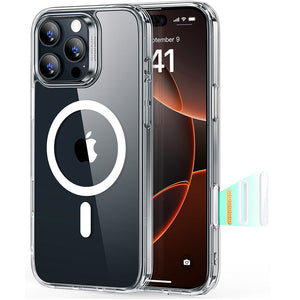
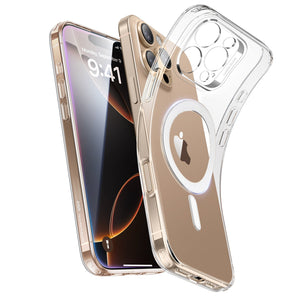
  1. ESR iPhone 14/13 Classic Hybrid Case (HaloLock) - Clear
    Clear case

    iPhone 14/13 Classic Hybrid Case (HaloLock) - Clear


    US$17.99

    View product
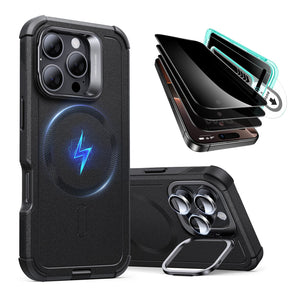
  2. ESR iPhone 16 Pro Cyber Tough Case with Stash Stand (HaloLock) - Black
    Stand case

    iPhone 16 Pro Cyber Tough Case with Stash Stand (HaloLock) - Black


    US$26.99

    View product
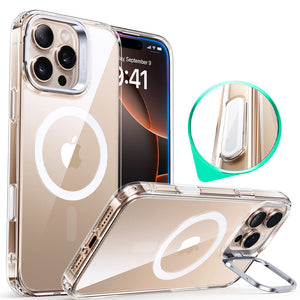
  3. ESR iPhone 17e Classic Hybrid Magnetic Case (Stash Stand) - Clear
    Clear stand case

    iPhone 17e Classic Hybrid Magnetic Case (Stash Stand) - Clear


    US$19.99

    View product
  4. ESR iPhone 17 Cyber Tough Magnetic Case (Camera Control) - Olive Green
    Magnetic case

    iPhone 17 Cyber Tough Magnetic Case (Camera Control) - Olive Green


    US$22.99

    View product

Browse all iPhone Cases

ESR iPhone Screen Protectors

  1. ESR iPhone 18 Pro UltraFit Armorite Pro Screen Protector - 3 Pack
    Screen protector

    iPhone 18 Pro UltraFit Armorite® Pro Screen Protector - 3 Pack


    US$35.99

    View product
  2. ESR iPhone 18 Pro UltraFit Armorite Pro Privacy Screen Protector - 3 Pack
    Privacy screen protector

    iPhone 18 Pro UltraFit Armorite® Pro Privacy Screen Protector - 3 Pack


    US$37.99

    View product
  3. ESR iPhone 18 Pro Max Armorite Pro Camera Lens Protector (Full Coverage) - Silver
    Camera lens protector

    iPhone 18 Pro Max Armorite® Pro Camera Lens Protector (Full Coverage) - Silver


    US$18.99

    View product
  4. ESR iPhone 18 Pro Max UltraFit Armorite Screen Protector - 3 Pack
    Screen protector

    iPhone 18 Pro Max UltraFit Armorite® Screen Protector - 3 Pack


    US$21.99

    View product

Browse all iPhone Screen Protectors

ESR MagSafe and Qi2 Chargers

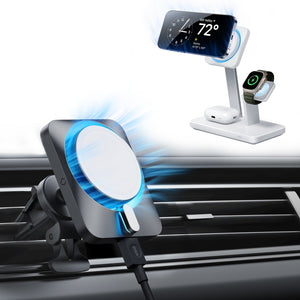
  1. ESR 15W Wireless Car Charger with CryoBoost (HaloLock) - Black
    Car charger

    15W Wireless Car Charger with CryoBoost (HaloLock) - Black


    US$39.99

    View product
  2. ESR CryoBoost Foldable 3-in-1 Magnetic Charging Station (25W) – US Plug-Black
    Foldable 3-in-1 charger

    CryoBoost Foldable 3-in-1 Magnetic Charging Station (25W) – US Plug-Black


    US$99.99

    View product
  3. ESR OmniLock Magnetic Car Charger (25W, CryoBoost, Air Vent) - Black
    25W car charger

    OmniLock Magnetic Car Charger (25W, CryoBoost, Air Vent) - Black


    US$56.99

    View product
  4. ESR CryoBoost 3-in-1 Magnetic Charging Station (25W, Qi2.2) - US Plug–Black
    25W 3-in-1 charger

    CryoBoost 3-in-1 Magnetic Charging Station (25W, Qi2.2) - US Plug–Black


    US$99.99

    View product

Browse all MagSafe and Qi2 Chargers

So, Replace the Battery or Buy a New iPhone?

If battery life is the main problem, start with the battery.

Check Battery Health, review cycle count where available, and consider whether battery service would solve the problem you're experiencing.

Replacing the whole phone makes more sense when battery wear comes with other limitations—insufficient storage, costly repairs, declining reliability, software compatibility problems, or a newer device that solves something you regularly struggle with.

And if the phone still works well, has enough storage, and lasts long enough for your routine, you may not need to replace anything yet.

If you've already decided to replace your iPhone and want to know when to buy, see When Do iPhone Prices Drop?.

Frequently Asked Questions

When should I replace my iPhone battery?

Consider battery service when reduced runtime interferes with normal use, Battery Health shows significant degradation, or battery-related unexpected shutdowns make the phone unreliable. Below 80% is an important service reference point, but daily performance matters too.

Should I replace my iPhone battery at 80% Battery Health?

Not automatically. If the phone still lasts long enough for your routine, you may continue using it. If reduced runtime or reliability is becoming a problem, battery service becomes more worthwhile.

How many battery cycles should an iPhone last?

Apple says iPhone 14 models and earlier are designed to retain 80% of their original capacity after 500 complete charge cycles under ideal conditions. iPhone 15 and later are designed for 80% after 1,000 cycles. Actual results vary with use and charging conditions.

Is Battery Health or cycle count more important?

Neither should be used alone. Battery Health shows remaining capacity, while cycle count shows cumulative battery use. Runtime and reliability are still the most practical indicators of whether the battery needs replacing.

Is it worth replacing an iPhone battery instead of buying a new phone?

Often, yes, when the battery is the main problem and the rest of the phone still meets your needs. The decision changes when storage, damage, reliability, or software compatibility are also becoming problems.

Will replacing my iPhone battery make it faster?

It can help when performance issues are linked to battery degradation and iOS performance management. It won't fix slowdowns caused by storage, software, damaged hardware, or older components.

How many years should an iPhone last?

There is no fixed replacement age. Battery condition, storage, physical condition, software compatibility, reliability, and your own needs matter more than how many years you've owned the phone.

Should I upgrade to iPhone 18 Pro, Pro Max, or Duo just because my battery is worn?

No single new model is automatically the right answer to a worn battery. First, consider whether battery service would resolve the issues with your current phone. If you're replacing it for other reasons, compare models based on the features and form factor you'll actually use.

Back to contents

Tags: iPhone 17, iPhone 18 Protection, iphone 2026, iphone case, iphone charger, iphone screen protector
Previous
When Do iPhone Prices Drop? Best Time to Buy in 2026–2027 (Without Overpaying)
Next
How to DIY Your iPhone 17 Pro Max Cases?

Related Articles

Best iPhone 18 Pro, Pro Max and Duo Cases in 2026: Complete Buying Guide

Best iPhone 18 Pro, Pro Max and Duo Cases in 2026: Complete Buying Guide

iPhone 18 & iPhone Duo Setup Guide: Protection, MagSafe, Charging & More

iPhone 18 & iPhone Duo Setup Guide: Protection, MagSafe, Charging & More

Ultimate Travel Tech Checklist for 2026: MagSafe Chargers, Phone Stands, and Smart Packing Tips

The Ultimate Travel Tech Checklist for 2026: MagSafe Chargers, Phone Stands, and Smart Packing Tips

Are Foldable Phones Worth Buying? Pros, Cons, Durability & 2026 Buying Guide

Are Foldable Phones Worth Buying? Pros, Cons, Durability & 2026 Buying Guide

Leave a Comment

Your email address will not be published.

Recent Post

ESR’s Top 10 Best-Selling Products of 2025
ESR’s Top 10 Best-Selling Products of 2025: Your Buying Guide for 2026
by Carolin on February 08, 2026
esr anti-yellowing clear tpu case line
What is a TPU Phone Case? ESR's Model Tested for Protection & Clarity
by Javeria Salam on November 04, 2025
The best iPad Pro cases of 2025: Expert tested and reviewed
Which iPad Pro 13 Case is good for you : Zugu vs. Moft vs. ESR
by Adam on September 16, 2025
Best Cases for iPhone 17
Best Cases for iPhone 17: Which Wins— OtterBox, ESR, Apple, or Casetify?
by Nicky on September 28, 2025
best 5 magsafe iphone 17 cases
Looking for Custom iPhone Cases for New iPhone - Top 4 Options
by Carolin on September 23, 2025
6-best-iPad-Air-11-inch-Cases-With-Pencil-Holder-in-2025
6 best iPad Air 11-inch Cases With Pencil-Holder in 2025
by Sandy on April 16, 2025

Get 20% off with code: BLOG20

Company

  • About Us
  • Our Blog
  • Newsroom
  • Become a Reseller

Products

  • Designed for MagSafe
  • Protective Phone Cases
  • iPad Cases
  • Screen Protectors
  • Wireless Charging
  • Productivity
  • Magnetic Wallets
  • Other Accessories

Community

  • Affiliate Program

Support

  • Setup Videos & FAQs
  • Return and Refund
  • Warranty Policy
  • Shipping Policy

Get 10% OFF Your First Order

Get insider access to new products and promotions.

Payment options:
  • American Express
  • Apple Pay
  • Google Pay
  • Mastercard
  • PayPal
  • Shop Pay
  • Union Pay
  • Visa
  • Klarna Klarna
  • Afterpay
© 2025 ESR All rights reserved.
  • Terms of Use
  • Privacy Policy
  • Legal Declaration
  • Cookie Policy
  • Shipping Policy
  • Return and Refund
  • Do not sell or share my personal information
  • Search

Shopping Cart

Your cart is currently empty.
Add note for seller
Estimate shipping rates
Add a discount code
Subtotal ¥0.00
View Cart

Thank you for choosing to transfer to a human service.

Sorry! The previous responses were from our AI customer service. Since it didn't satisfy you, you've been transferred to a human agent. We'll reply within 24 hours from Mon to Fri and 48 hours on weekends for further help.

Please select the reason for transfer