



7 Charging Standards and Connector Types for Phones and Accessories:
Charging cables look simple enough until you need a specific one. Chargers come in more varieties than most people expect — the flat rectangular USB-A that fills most junk drawers, the small oval USB-C now standard on new phones, the square one on office printers, and several others in between. The differences between phone charger types aren't just cosmetic; each type has different power limits and compatibility requirements. Get the wrong one and your phone will charge, just not at the speed it's actually capable of. Here's what all seven look like and what they're for.


Charger terminology
Before getting into types, the part that plugs into the wall is the adapter or charging head. The wire is the cable or cord. The small piece at the cable's end that plugs into your phone is the connector, tip, or plug — these terms are used interchangeably depending on who's writing the manual. The socket on your phone or charger that accepts the connector is the port.
1. USB Type-A Charger

The rectangular port that's been on virtually every laptop, desktop, and wall adapter for the past 25 years. If someone says "USB port" without specifying which kind, this is almost certainly what they mean.
USB-A became ubiquitous because it arrived first and remained widely used for years. Phones, cameras, MP3 players, game controllers, and countless accessories all relied on it at some point, and most households still have a drawer full of old USB-A charging bricks and cables.
They still work. The limitation isn't the connector itself so much as the charging standards typically associated with it. Most USB-A chargers deliver relatively low power compared to modern USB-C Power Delivery (PD) chargers. Older adapters often top out at 5W, while better USB-A chargers can reach 10–18W, depending on the device and charging protocol.
That's enough for earbuds, accessories, and overnight charging, but it’s noticeably slower for modern smartphones. Current iPhones and many Android phones use USB-C Power Delivery for their fastest charging speeds, and PD requires a USB-C connection on the charger side. If you plug a new iPhone into an older USB-A charger using a USB-A-to-USB-C cable, the phone will still charge — just at reduced speed.
This catches people off guard after upgrading. The cable usually isn't the issue; the charger is. USB-A ports in cars, planes, hotel rooms, and public charging hubs are still extremely common, but most offer charging speeds much slower than those of a modern USB-C PD adapter.
For older devices and low-power accessories, USB-A still works perfectly well. For daily charging on an iPhone 15 or later, USB-C PD is the better fit.
A note on USB Type-B
The square-ish one with the angled top corners. Rare enough that most people go years without seeing one, but common in a specific place: office printers.
Type B was designed to connect peripheral devices — printers, scanners, and external hard drives — to a host computer. The shape distinction was intentional, making it physically impossible to accidentally connect two computers. The Type-B end goes into the printer; the Type-A end goes into the computer.
New peripherals have mostly moved to USB-C for this connection, but printers in particular are slow to change. If you're picking up a laser printer or a desktop scanner, it's worth checking the port before assuming you have the right cable.

2. GaN Chargers (Gallium Nitride)

Looks like: a compact wall plug, often barely larger than the plug prongs themselves.
Standard wall chargers get warm because some energy is lost as heat during the conversion of AC power to DC. Managing that heat requires additional space and cooling considerations, which is one reason higher-power chargers have traditionally been larger.
GaN chargers use Gallium Nitride (GaN) power components in place of some traditional silicon components. GaN is more efficient and can operate at higher frequencies while generating less heat, enabling smaller chargers without sacrificing power output. That's how a 65W GaN charger can be much more compact than many older 65W chargers built with conventional silicon-based designs.
Most GaN chargers output through USB-C and support USB Power Delivery (USB-PD) — the fast-charging protocol used by iPhones (8 and later), Android devices, and laptops. One charger, one cable type, works across all of them.
Most models include both USB-C and USB-A ports for charging multiple devices at once. One thing worth checking: total wattage is shared across active ports, so a 65W dual-port model won't deliver 65W through each port simultaneously. If you're running two high-draw devices, look at the per-port output in the spec sheet.
For wattage, 40W is sufficient to fast-charge the iPhone 17 Pro and Pro Max at full speed. 20W handles iPhone Air and iPhone 17e. Go with 65W or higher if you also want to charge a laptop from the same plug.
3. USB Type-C Charger

Looks like: a small oval connector, symmetrical top and bottom — no wrong way to plug it in.
USB-C landed around 2015 and gradually took over everything. The connector is oval and symmetrical — no wrong way to plug it in — and it's now the default on Android phones, iPhones (from iPhone 15 onward), laptops, tablets, earbuds, and most accessories bought in the last few years.
USB-C was designed to support higher-power and faster data standards like USB Power Delivery (USB-PD), which made modern fast charging practical across phones, tablets, and laptops. Android manufacturers adopted USB-C years before Apple transitioned the iPhone lineup in 2023. Either way, USB-C is where things are now, and any phone purchased in the past two or three years almost certainly uses it.
One thing worth knowing: USB-C is the connector shape, not a guarantee of charging speed. Not every USB-C charger supports full USB-PD fast charging, especially older or lower-power adapters. Without PD support, charging speeds may fall back to basic 5V charging — similar to older USB-A adapters. The charger's specs matter as much as the port.
PD fast charging requires three things to work properly: a USB-C charger with PD support, a USB-C-to-USB-C cable, and a phone that supports PD. Modern iPhones and most Android flagships do. USB-A to USB-C cables can still charge phones, and some USB-A chargers support older fast-charging standards, such as Qualcomm Quick Charge (QC). These can provide faster charging than basic 5W USB power, but they cannot provide USB-C Power Delivery. According to Apple's own specifications, the iPhone 17 Pro and Pro Max can reach 50% in about 20 minutes with a 40W or higher adapter. iPhone Air and 17e reach 50% in 30 minutes with a 20W or higher adapter.
4. Lightning Charger
Looks like a small, flat, rectangular connector, slightly thinner than USB-C, reversible — Apple devices only.
Apple's own connector, used on every iPhone from the 5 (2012) to the 14 (2022). Smaller than USB-A and reversible, it was a genuine improvement over the bulky 30-pin dock connector it replaced — though Apple was the only company that used it, which made it a constant point of friction for anyone in a mixed-device household.
For fast charging on Lightning iPhones, you need a USB-C PD wall charger and a USB-C-to-Lightning cable to connect it to the phone. That combination gets compatible iPhones to around 20W. The ceiling is set by the iPhone's internal charging hardware, not by the cable or the charger — plugging in a 30W or 45W adapter won't make it charge any faster.
If you're still on an iPhone 14 or earlier, or using Lightning accessories like older AirPods cases or iPads, the standard is still relevant. For any new Apple hardware purchased after 2023, it isn't. Lightning and USB-C cables are not interchangeable. When buying Lightning cables, look for MFi certification (Made for iPhone/iPad), which indicates the cable has passed Apple's electrical and compatibility requirements. Uncertified cables occasionally cause charging errors or pop-up warnings on Apple devices.

5. Mini-USB Charger

Looks like: a small D-shaped connector, narrower than Mini-USB, with a right side up.
Micro-USB is what most people mean by "the old Android charger." Before it, there was Mini-USB — a trapezoid-shaped connector that appeared on digital cameras, early MP3 players, and feature phones in the early 2000s. Mini-USB is fully obsolete; nothing manufactured today uses it. If you come across one, it belongs to something old: a decade-old portable speaker, a backup camera, a device that predates the smartphone era.
Micro-USB took over from Mini-USB around 2010 and remained the default across Samsung, Sony, LG, Motorola, and most other Android manufacturers for roughly a decade. It's smaller than Mini-USB, adds OTG (On-The-Go) support so devices can act as both hosts and peripherals, and reaches data transfer speeds up to 480 Mbps.
That era is effectively over for phones; USB-C replaced Micro-USB across the Android market starting around 2017–2018. Micro-USB lingers in accessories: Bluetooth speakers, budget earbuds, older e-readers, and various gadgets that haven't been updated. The connector is directional — there's a right side up — which is one of the small reasons nobody misses it.
6. USB 3.0 Charger

Looks like: identical to USB-A in shape, usually identified by a blue plastic insert inside the port.
USB 3.0 isn't a charger type, unlike USB-C or Lightning — it's a data transfer standard. It appears here because the version numbers show up on charger and cable packaging, and the confusion between data speed and charging speed is common enough to address directly.
USB 3.0 — sometimes labeled SuperSpeed USB — jumped from USB 2.0's 480 Mbps data ceiling to 5 Gbps. On the power side, it increased output to 900 mA at 5V (4.5W), a modest step up from USB 2.0's 500 mA, though well below what any current fast-charging standard requires.
The blue plastic insert inside the connector is how most people identify a USB 3.0 port, though this is a manufacturer convention rather than a requirement — some skip it. USB 3.1 and 3.2 followed with higher data speeds (10 Gbps and 20 Gbps respectively), and these version numbers apply to both Type-A and Type-C connectors.
Data transfer speed and charging speed are separate specifications and don't affect each other. A USB-C charger delivering 30W of power through PD might only use USB 2.0-level data speeds internally — that's normal, and it doesn't affect how fast the phone charges.
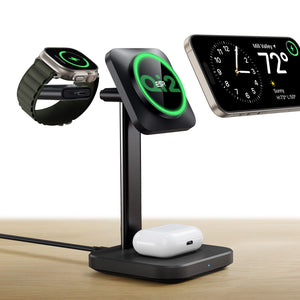
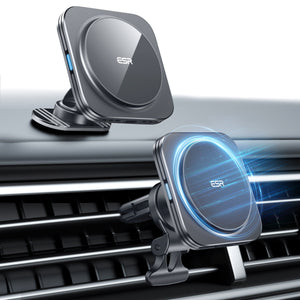
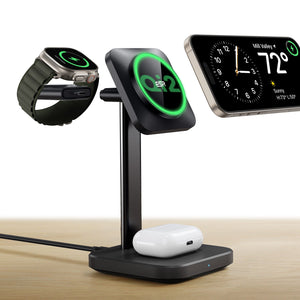
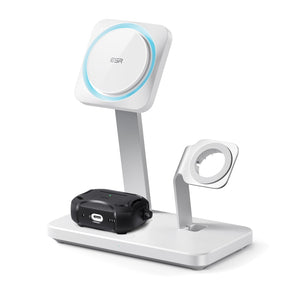
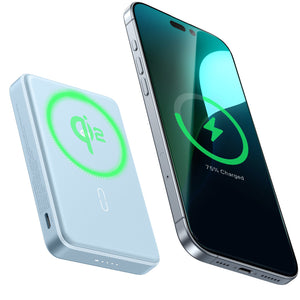
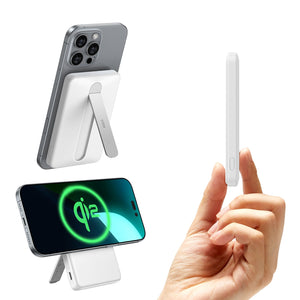
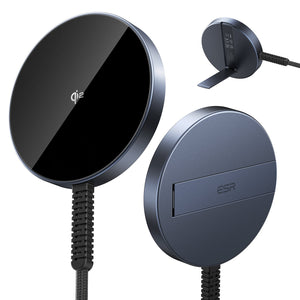
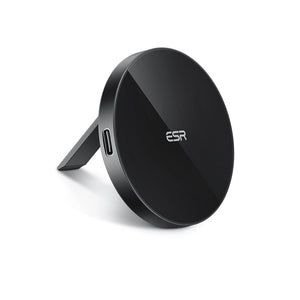
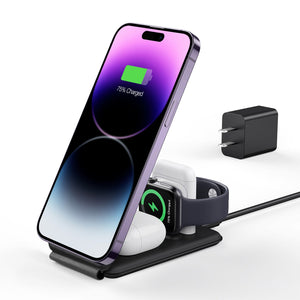
7.Wireless Chargers (Qi2 and MagSafe)

Looks like: a flat pad or stand — no cable connects to the phone.
Wireless charging has been around since Qi became the common standard on Android phones around 2012 and iPhones from the 8 (2017) onward. The current relevant standards are Qi2 and MagSafe.
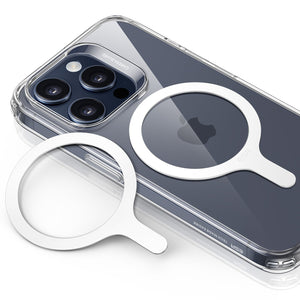
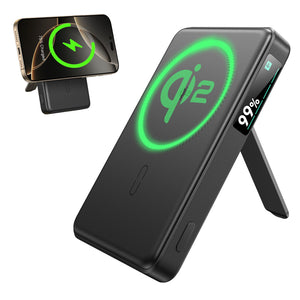
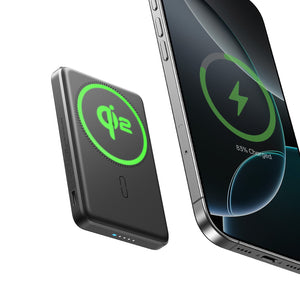
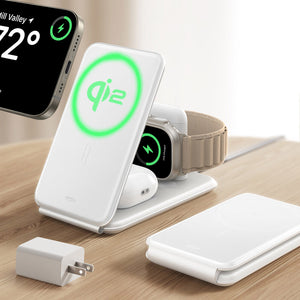
MagSafe, introduced with iPhone 12, uses a ring of magnets to align the charger precisely to the back of the phone — better alignment means more consistent power transfer. Qi2 is an open standard built on the same magnetic alignment principle, which means Qi2 chargers work with MagSafe iPhones and vice versa. The iPhone 17 supports up to 25W MagSafe wireless charging with a 30W or higher adapter, according to Anker's charging guide. iPhone Air supports up to 20W.
The practical trade-off with wireless charging is heat and speed — it generates more heat than wired charging, and most pads top out below what a wired PD setup can deliver. For overnight or desk charging where speed isn't the priority, it's a clean solution. For getting from 20% to full quickly, wired PD is still faster.
Why Your New iPhone Charges Slowly on Your Old Charger
Nearly everyone who upgrades from an older iPhone to an iPhone 15, 16, or 17 runs into this. The same thing happens to people switching from Android. You grab the closest cable, plug into the adapter you've been using for years, and the phone trickle-charges for three hours.
The port changed. The charger didn't. And the charger is where the speed actually comes from.
Every iPhone through the 14 used a Lightning port, which worked adequately with USB-A chargers — the fast-charging ceiling on those models was low enough that USB-A could get partway there. iPhone 15 onward uses USB-C and requires PD to fast-charge. USB-A can't run PD. Neither can a USB-A-to-USB-C cable, because PD negotiation happens on the charger side, and if the charger side is USB-A, it can't happen at all.
The same gap catches people coming from Android. USB-C has been standard on most Android phones for years, but plenty of Android users were still using USB-A wall adapters — the phone had USB-C, but the charger was still the old standard. Switching to an iPhone doesn't fix that.
Getting the right setup isn't expensive or complicated. You need one USB-C PD charger rated at 20W or higher and a USB-C-to-USB-C cable. That covers daily charging on the phone, which is designed for fast charging. The USB-A adapters can stay — they're still useful for earbuds, older tablets, and travel accessories that aren't in a hurry.
What to do, by situation:
| Where you're charging | Speed | What to do |
|---|---|---|
| USB-A wall adapter | 5–12W | Replace with a USB-C PD charger for daily use |
| USB-A car charger | ~5W | Swap for USB-C PD, or keep as backup |
| Airplane / train USB-A socket | ~5W | Bring a PD power bank; charge it from the plane's AC outlet |
| USB-C PD charger + USB-C cable | Up to ~30W | The right daily setup for iPhone 15 and later |
| Qi2 wireless charging | Fast wireless | Desk or bedside, no cables needed |
For travel, a GaN multi-port charger with one USB-C PD port handles everything without needing multiple bricks. Most support 100–240V input, so only a plug adapter is needed internationally.
More detail on charger and cable compatibility by iPhone model:iPhone 17 Series Charger Guide: Compatibility and Buying Tips
People Also Ask
What is the old Android charger called?
Micro-USB. It was the standard connector on Android phones from around 2010 to 2018 before USB-C became the standard. When people refer to the “old Android charger” or “small Android charger,” they usually mean Micro-USB.
How do I know what type of charger I have?
Check the connector shape. USB-C is small, oval, and reversible. Lightning is small, flat, and reversible, used only on Apple devices such as iPhone 5 through iPhone 14. Micro-USB is small and D-shaped with a correct insertion direction. USB-A is the large rectangular port commonly found on older chargers and computers. A blue insert inside the port usually indicates USB 3.0.
I switched from Android to iPhone 15, 16, or 17 and charging is slower. Why?
In most cases, the charger is the reason. Older USB-A chargers do not support USB Power Delivery (PD), which iPhone 15 and later models use for fast charging. Switching to a USB-C PD charger rated at 20W or higher will significantly improve charging speed.
Does the cable type matter?
Yes. A USB-A to USB-C cable cannot support USB Power Delivery (PD), regardless of cable quality, because PD requires USB-C on the charger side. For fast charging, you need a USB-C to USB-C cable paired with a USB-C PD charger.
Do I have to replace all my USB-A chargers?
No. You only need one USB-C PD charger at your main charging location for fast charging. Existing USB-A chargers still work well for accessories like earbuds and devices that do not require high charging speeds.
Which charger do I need for iPhone 15, 16, or 17?
For iPhone 15, iPhone 16, and iPhone Air models, a USB-C PD charger rated at 20W or higher is recommended. For iPhone 17 Pro and Pro Max, Apple specifications indicate that 40W or higher can charge the battery to 50% in about 20 minutes. Lower wattage chargers such as 20W or 30W will still work but at slower speeds. For wireless charging, Qi2 or MagSafe chargers are recommended.
Conclusion
There are seven phone charger types, and in daily life, most people only need to know two or three. USB-A is still everywhere and still works, just slowly for anything modern. USB-C with PD is where new phones live. Lightning covers anyone still on iPhone 14 or earlier. Everything else is either legacy hardware or specialized peripherals.
If you've been running a new iPhone on old USB-A adapters and wondering why it never seems fully charged, that's the whole story. One USB-C PD charger changes it.
And if wired charging feels like one thing too many to deal with:
1、Qi2 Wireless Charging Vs MagSafe: Which One is Better?
2、Lightning-Fast Showdown: Qi2 Wireless Charging vs. Magsafe iPhone Charging Speed!
3、Top ESR MagSafe Accessories of 2024: Which ones are your favorite?
4、Boost Your Phone's Charging Speed: Quick Tips You Need to Know Now!
Removable Batteries Are Coming Back — and What That Means for Chargers
Ten years of phone design went in one direction: thinner, sealed, glued shut. That's about to change, at least for new models sold in Europe from 2027 onward.
EU rules taking effect February 18, 2027, require that batteries in portable devices be removable using standard tools — screwdrivers, removal picks — without professional help. Glues that require heat to remove are largely prohibited. Replacement batteries must remain available for at least five years after a model is discontinued.
The rules limit manufacturers' ability to restrict independent battery replacements through software or design barriers. The batteries themselves need to retain 80% of their original capacity after 1,000 charge cycles, which is a higher bar than most batteries currently clear.
The regulation is European, but manufacturers almost never build separate hardware for individual markets. USB-C started the same way — an EU mandate that became the de facto global standard within a few years because it wasn't worth producing two versions of the same phone.
This won't look like the old pop-off plastic back. Replacing the battery will take a tool and a few minutes — not a technician, but not a one-second swap. Manufacturers may need to make design trade-offs to accommodate more repairable batteries, though it's not yet clear whether this will significantly affect phone thickness. Waterproofing will also require careful engineering. There's a technical exemption available for manufacturers who can prove their battery hits the 1,000-cycle threshold at IP67, so not every manufacturer will go the full mechanical route.
The more interesting downstream question is what happens to accessories. When removable batteries were the norm in the early 2010s, external battery chargers were a common purchase — small cradles that charged a bare battery directly while the phone ran on a spare. It was especially common in Asian markets, where carrying a second battery was standard practice. If battery formats standardize across manufacturers over time (the way USB-C connector shapes did), that accessory category becomes viable again. That's speculative for now — the regulation doesn't require a common battery format — but it's worth watching.
What doesn't change: USB-C PD and Qi2 are the relevant standards for every phone on the market today. The 2027 rules apply to new models from that date forward and don't affect anything already sold.