
We regret to inform you that due to business adjustments, ESR will cease online sales in your area.
Cart 0
  • Designed for MagSafe
    • All MagSafe Products
      • Wireless Charging
      • Car Charger & Mounts
      • Charging Stands
      • MagSafe Cases
      • MagSafe Wallets
      • Power Banks
      • MagSafe Rings & Wall Mounts
      • Best MagSafe Bundles
    • Magsafe in Life
      • Desk Charging
      • Shop Auto
      • Travel Essentials
      • Workspace Power
      • Find My Technology
      • Gift Guide
  • Protection By Device
    • All Cases
      • iPhone
      • iPad🔥
      • Airpods
      • Samsung
    • Screen Protection
      • iPhone
      • iPad🔥
      • Apple Watch & Airtag
      • Samsung
      • For Tesla
    • iPad Productivity
      • Keyboards🔥
      • Styluses
    • Accessories
      • All Accessories
      • iPhone 16
      • iPhone 16e🔥
      • iPhone 16 Pro Max
      • iPhone 16 Pro
      • iPhone 16 Plus
      • iPhone 16
      • iPhone 15
      • iPhone 15 Pro Max
      • iPhone 15 Pro
      • iPhone 15 Plus
      • iPhone 15
      • iPhone 14
      • iPhone 14 Pro Max
      • iPhone 14 Pro
      • iPhone 14 Plus
      • iPhone 14
      • iPhone 13
      • iPhone 13 Pro Max
      • iPhone 13 Pro
      • iPhone 13
      • Other iPhone Series
      • Other iPhone Series
        Choose Your Device
      • iPad 11th Gen (2025)🔥
      • iPad Air 13 (2025)🔥
      • iPad Air 11 (2025)🔥
      •  
      • iPad Pro 13 (2024)
      • iPad Pro 11 (2024)
      • iPad Air 13 (2024)
      • iPad Air 11 (2024)
      • iPad mini 7 (2024)
      •  
      • iPad Pro 12.9 (2022)
      • iPad Pro 11 (2022)
      • iPad Air 5/4 (2022)
      • iPad 10th Gen (2022)
      •  
      • iPad mini 6 (2021)
      • iPad Pro 12.9 (2021)
      • iPad Pro 11 (2021)
      • iPad Pro 11 (2020)
        Choose Your Device
      • AirPods 4
      • AirPods Pro (2023/2022/2019)
      • AirPods 3
        Galaxy S25
      • Galaxy S25 Ultra
      • Galaxy S25+
      • Galaxy S24
      • Galaxy S24 Ultra
      • Galaxy S24+
      • Galaxy S24
      • Galaxy S23
      • Galaxy S23 Ultra
      • Galaxy S23
        iPhone 16
      • iPhone 16e🔥
      • iPhone 16 Pro Max
      • iPhone 16 Pro
      • iPhone 16 Plus
      • iPhone 16
      • iPhone 15
      • iPhone 15 Pro Max
      • iPhone 15 Pro
      • iPhone 15 Plus
      • iPhone 15
      • iPhone 14
      • iPhone 14 Pro Max
      • iPhone 14 Pro
      • iPhone 14 Plus
      • iPhone 14
      • iPhone 13
      • iPhone 13 Pro Max
      • iPhone 13/13 Pro
        Choose Your Device
      • iPad 11th Gen (2025)🔥
      • iPad Air 13 (2025)🔥
      • iPad Air 11 (2025)🔥
      •  
      • iPad Pro 13 (2024)
      • iPad Pro 11 (2024)
      • iPad Air 13 (2024)
      • iPad Air 11 (2024)
      •  
      • iPad Pro 12.9 (6th/5th/4th/3rd Gen)
      • iPad Pro 11 (4th/3rd/2nd/1st Gen)
      • iPad Air 5/4 (2022)
      • iPad 10th Gen (2022)
      •  
         
      • Apple Watch & Airtag
        Galaxy S25
      • Galaxy S25 Ultra
      • Galaxy S24
      • Galaxy S24 Ultra
      • Galaxy S23
      • Galaxy S23 Ultra
      • Galaxy S23+
      • Galaxy S23
      • Galaxy S22
      • Galaxy S22 Ultra
      • Other Samsung Series
      • Galaxy S21+
      • Galaxy S21
         
      • Tesla Tempered-Glass Touchscreen Protector
        Choose Your Device
      • iPad 11th Gen (2025)🔥
      • iPad Air 13 (2025)🔥
      • iPad Air 11 (2025)🔥
      •  
      • iPad Pro 13 (2024)
      • iPad Pro 11 (2024)
      • iPad Air 13 (2024)
      • iPad Air 11 (2024)
      •  
      • iPad Pro 12.9 (6th/5th/4th/3rd)
      • iPad Pro 11 (4th/3rd/2nd/1st)
      • iPad Air 5/4 (2022)
      • iPad 10th Gen (2022)
         
      • Styluses
         
      • Magnetic Wallet
      • MagSafe Rings & Mounts
      • Other Accessories
  • New Arrival
    • iPad 2025 Series
    • iPhone 16e
    • Galaxy S25 Series
    • Protect Your iPhone 16 Camera Control Button
    • 15W Qi2 Wireless Charging
  • Support
    • Product Videos & FAQs
    • General FAQ
  • Explore
    • About Us
    • ESR Blog
    • Newsroom
    • Become a Reseller
My Account
Log in Register
English
  • Designed for MagSafe
    • All MagSafe Products
      • Wireless Charging
      • Car Charger & Mounts
      • Charging Stands
      • MagSafe Cases
      • MagSafe Wallets
      • Power Banks
      • MagSafe Rings & Wall Mounts
      • Best MagSafe Bundles
    • Magsafe in Life
      • Desk Charging
      • Shop Auto
      • Travel Essentials
      • Workspace Power
      • Find My Technology
      • Gift Guide
    • Wireless Charging
      • Portable Charger for Apple Watch - White

      • Qi2 3-in-1 Watch Wireless Charging Set (HaloLock) - Black - US PLUG

      • Magnetic Wireless Car Charger (HaloLock) - Grey

      • Universal Ring 360 (HaloLock) - White-2 Pack

      • All Wireless Charging >
      Charging Stands
      • Qi2 3-in-1 Watch Wireless Charging Set (HaloLock) - Black - EU PLUG

      • CryoBoost™ Pro Bundle (HaloLock) - US Plug

      • MagSafe Charger with CryoBoost Everyday Bundle - EU Plug

      • Magsafe Charger One-Stop Bundle - Black/White

      • All Charging Stands >
      MagSafe Cases
      • iPhone 16 Pro Max Cyber Tough Case with Stash Stand Privacy Protection Bundle - Black

      • iPhone 16 Pro Max HaloLock Classic Hybrid Case (Camera Control) - Clear

      • iPhone 16 Pro Max HaloLock Classic Hybrid Case (Camera Control, Stash Stand) - Clear

      • iPhone 16 Pro Max Zero Clear Case (HaloLock) - Clear

      • All MagSafe Cases >
      MagSafe Wallets
      • Geo Wallet Stand (HaloLock) with Built-in Find My - Midnight Black

      • Geo Wallet Boost (HaloLock) - Grey

      • Magnetic Wallet Boost (HaloLock) - Black

      • Grip Wallet Stand (HaloLock) - Black Carbon Fiber

      • All MagSafe Wallets >
      Power Banks
      • Qi2 MagSlim Kickstand Power Bank (10K) - Black

      • Qi2 MagSlim Power Bank (5K) - Black

      • Qi2 MagSlim Power Bank (10K) - Blue

      • Qi2 5,000 mAh MagSlim Kickstand Power Bank - White

      • All Power Banks >
      MagSafe Rings & Wall Mounts
      • Airplane Phone Holder Mount (HaloLock) - Black

      • Ring Stand (HaloLock) - Sierra Blue

      • Universal Ring (HaloLock) - Black/Silver-4 Pack

      • Universal Ring 360 (HaloLock) - White-2 Pack

      • All MagSafe Rings & Wall Mounts >
      Desk Charging
      • Qi2 mini Kickstand Wireless Charger (HaloLock) - Dark Blue

      • CryoBoost™ Pro Bundle (HaloLock) - US Plug

      • Kickstand MagSafe Compatible Wireless Charger (HaloLock) - Black

      • HaloLock™ 3-in-1 Travel Wireless Charging Set - Black - US Plug

      • All Desk Charging >
      Find My Technology
      • Geo Wallet Stand (HaloLock) with Built-in Find My - Midnight Black

      • Geo Wallet Boost (HaloLock) - Grey

      • Geo Digital Pencil with Built-in Find My - White

      • All Find My Technology >
      Gift Guide
      • Geo Wallet Boost (HaloLock) - Brown

      • Qi2 3-in-1 Travel Wireless Charging Set - White - US Plug

      • Qi2 MagSlim Power Bank (10K) - Blue

      • AirPods 4 Cyber FlickLock Case (HaloLock) - Titanium

      • All Gift Guide >
  • Protection By Device
    • All Cases
      • iPhone
      • iPad🔥
      • Airpods
      • Samsung
    • Screen Protection
      • iPhone
      • iPad🔥
      • Apple Watch & Airtag
      • Samsung
      • For Tesla
    • iPad Productivity
      • Keyboards🔥
      • Styluses
    • Accessories
      • All Accessories
      • iPhone 16
      • iPhone 16e🔥
      • iPhone 16 Pro Max
      • iPhone 16 Pro
      • iPhone 16 Plus
      • iPhone 16
      • iPhone 15
      • iPhone 15 Pro Max
      • iPhone 15 Pro
      • iPhone 15 Plus
      • iPhone 15
      • iPhone 14
      • iPhone 14 Pro Max
      • iPhone 14 Pro
      • iPhone 14 Plus
      • iPhone 14
      • iPhone 13
      • iPhone 13 Pro Max
      • iPhone 13 Pro
      • iPhone 13
      • Other iPhone Series
      • Other iPhone Series
        Choose Your Device
      • iPad 11th Gen (2025)🔥
      • iPad Air 13 (2025)🔥
      • iPad Air 11 (2025)🔥
      •  
      • iPad Pro 13 (2024)
      • iPad Pro 11 (2024)
      • iPad Air 13 (2024)
      • iPad Air 11 (2024)
      • iPad mini 7 (2024)
      •  
      • iPad Pro 12.9 (2022)
      • iPad Pro 11 (2022)
      • iPad Air 5/4 (2022)
      • iPad 10th Gen (2022)
      •  
      • iPad mini 6 (2021)
      • iPad Pro 12.9 (2021)
      • iPad Pro 11 (2021)
      • iPad Pro 11 (2020)
        Choose Your Device
      • AirPods 4
      • AirPods Pro (2023/2022/2019)
      • AirPods 3
        Galaxy S25
      • Galaxy S25 Ultra
      • Galaxy S25+
      • Galaxy S24
      • Galaxy S24 Ultra
      • Galaxy S24+
      • Galaxy S24
      • Galaxy S23
      • Galaxy S23 Ultra
      • Galaxy S23
        iPhone 16
      • iPhone 16e🔥
      • iPhone 16 Pro Max
      • iPhone 16 Pro
      • iPhone 16 Plus
      • iPhone 16
      • iPhone 15
      • iPhone 15 Pro Max
      • iPhone 15 Pro
      • iPhone 15 Plus
      • iPhone 15
      • iPhone 14
      • iPhone 14 Pro Max
      • iPhone 14 Pro
      • iPhone 14 Plus
      • iPhone 14
      • iPhone 13
      • iPhone 13 Pro Max
      • iPhone 13/13 Pro
        Choose Your Device
      • iPad 11th Gen (2025)🔥
      • iPad Air 13 (2025)🔥
      • iPad Air 11 (2025)🔥
      •  
      • iPad Pro 13 (2024)
      • iPad Pro 11 (2024)
      • iPad Air 13 (2024)
      • iPad Air 11 (2024)
      •  
      • iPad Pro 12.9 (6th/5th/4th/3rd Gen)
      • iPad Pro 11 (4th/3rd/2nd/1st Gen)
      • iPad Air 5/4 (2022)
      • iPad 10th Gen (2022)
      •  
         
      • Apple Watch & Airtag
        Galaxy S25
      • Galaxy S25 Ultra
      • Galaxy S24
      • Galaxy S24 Ultra
      • Galaxy S23
      • Galaxy S23 Ultra
      • Galaxy S23+
      • Galaxy S23
      • Galaxy S22
      • Galaxy S22 Ultra
      • Other Samsung Series
      • Galaxy S21+
      • Galaxy S21
         
      • Tesla Tempered-Glass Touchscreen Protector
        Choose Your Device
      • iPad 11th Gen (2025)🔥
      • iPad Air 13 (2025)🔥
      • iPad Air 11 (2025)🔥
      •  
      • iPad Pro 13 (2024)
      • iPad Pro 11 (2024)
      • iPad Air 13 (2024)
      • iPad Air 11 (2024)
      •  
      • iPad Pro 12.9 (6th/5th/4th/3rd)
      • iPad Pro 11 (4th/3rd/2nd/1st)
      • iPad Air 5/4 (2022)
      • iPad 10th Gen (2022)
         
      • Styluses
         
      • Magnetic Wallet
      • MagSafe Rings & Mounts
      • Other Accessories
  • New Arrival
    • iPad 2025 Series
    • iPhone 16e
    • Galaxy S25 Series
    • Protect Your iPhone 16 Camera Control Button
    • 15W Qi2 Wireless Charging
  • Support
    • Product Videos & FAQs
    • General FAQ
  • Explore
    • About Us
    • ESR Blog
    • Newsroom
    • Become a Reseller
Account Cart 0
English

Search our store

Account Cart 0
Popular Searches:
iPad 2025 iPhone 16 camera control Qi2 Wireless Charging Magnetic Wallet
How To

Phone Stand Types Compared: Built-In Case Stand, Ring Stand, or Desk Stand — Which Is Right for You?

by Adam on Jun 24, 2026
Why You Need a Phone Stand

Many people use their phones for around 4 hours every day but rarely consider simple stands that improve comfort during desk work, cooking, travel, or content creation. Globally, there are about 7.379 billion smartphone users, making small ergonomic fixes like a cell phone stand much more important. 

complete guide to choosing the best phone stand for work and travel

Why You Actually Need a Phone Stand?

8 Real-World Situations Where a Stand Helps

How to Choose the Right Type of Phone Stand?

How to Choose a Phone Stand (and Avoid Common Mistakes)

Recommended Setups for Different Users

Why You Actually Need a Phone Stand?

A phone stand is any accessory that holds your phone upright at a fixed angle without you holding it. The most common types sit on a desk, clip to a surface, attach magnetically, or fold into your case. What they share is that they free your hands, raise the screen to a comfortable height, and keep the phone steady — whether you're on a video call, following a recipe, watching something in bed, or filming yourself.

The case for owning one comes down to a simple calculation: most people look down at their phone, and looking down for hours puts real strain on the neck and upper back. Raising the screen to eye level — which even a cheap stand can do — removes most of that.

8 Real-World Situations Where a Stand Helps

A simple desk or travel stand solves different problems depending on where you actually use your phone. FlexiSpot’s guide on cell phone stands notes that stable setups can improve comfort and ergonomics. 

1. Video Conferencing and Office Work

A solid stand keeps your phone at eye level and helps you focus. 

using phone stand office work and video conferencing

Benefits

● Keeps the phone stable during long video calls, meetings, and busy workdays.

● Raises the camera for a cleaner, more professional on-screen appearance.

● Keeps your phone visible for desk use, so you never miss important work notifications. 

2. Cooking and Following Tutorials

Balancing your phone on or against an object is risky and can cause it to fall over. A good phone stand keeps the screen visible for recipes and videos without constant readjusting. 

watching cooking videos while putting phone on stand

Benefits

● Let's you follow recipes hands-free while you chop, stir, and clean.

● Flat, non-slip base helps prevent your phone from sliding on wet kitchen counters.

● Keeps your phone away from spills and stops grease and food from getting on your screen. 

3. Travel and Commuting

Portable cell phone standmakers highlight thin, foldable designs as the most practical choice for travel setups. 

keep phone stable while travelling with phone stand

Benefits

● Folds flat to slip easily into pockets, backpacks, or laptop sleeves.

● Sets up quickly on airplane trays, hotel desks, and café tables.

● Lightweight build adds almost no extra weight to your everyday carry. 

4. Content Creation and Mobile Shooting

Handheld shooting becomes shaky, and DIY setups make consistent framing difficult. A cell phone stand and a mini tripod let you frame once and record smooth takes. 

phone stand accessory for content creator recording videos

Benefits

● Keeps your phone steady for sharper video and cleaner headshots.

● Makes switching between portrait and landscape framing fast and reliable.

● Allows precise angle adjustments without adjusting your entire shooting setup.

5. Learning and Everyday Entertainment

Many people watch shows and take online classes on their phones after work, often hunched over a small screen. DailyObjects guide says that raising your screen toward eye level reduces strain and makes long sessions comfortable. 

using phone stand while studying on study table

Benefits

● Makes binge-watching and online classes more comfortable without constantly having to hold your phone.

● Helps keep your neck in a more neutral, relaxed viewing position.

● Works on both desks and bedside tables, so one portable phone stand for desk and home covers most situations. 

6. Driving, Navigation, and Maps

When you use your phone for maps, a stable mount keeps directions visible without taking your hands off the wheel. A secure phone holder or mount keeps the screen steady over bumps, so you can glance quickly without fumbling or adjusting your phone.” 

7. Gaming and Streaming Sessions


Long gaming sessions with a phone in your hand put continuous strain on your thumbs and wrists. A stand that holds the phone at eye level lets you rest your hands on a surface and play more comfortably. The key requirement for gaming is stability — a stand that wobbles when you tap buttons will distract more than it helps, so prioritize base weight over compact size here.

8. Studying and Note-Taking


Using your phone for reference material, lecture recordings, or online courses works better when the screen is at eye level. Switching between phone and notebook is also smoother when the phone is propped up and stationary rather than flat on the desk. A simple adjustable stand with a good tilt range covers most study setups without adding anything bulky to your bag.

Stand Type Comparison at a Glance

Type Best For Stability on Desk Stability in Bed Portability
Desktop stand Office, long calls Excellent Poor Low
Foldable portable stand Travel, café, commute Good Fair High
Case with built-in stand Everyday carry, video calls Good Good Built-in
Ring-style stand One-hand grip + occasional propping Fair Fair High
MagSafe stand iPhone users, fast attachment Very good Poor Medium

How to Choose the Right Type of Phone Stand?

The phone stand types discussed below help match real daily routines with the right design. 

1. Desktop Stands

Desktop stands for cell phone work best when your phone stays on a desk. Desktop stands have a heavier base for stability during long calls. They are ideal for office work and casual streaming. Their main downside is their size and weight, which make them harder to carry from place to place. 

desktop phone stand type for office work

2. MagSafe Stands

MagSafe stands are designed for iPhone users who want a quick magnetic attachment and removal. However, they rely on strong magnets and mostly work best within the Apple ecosystem. 

iphone on a magsafe stand with quick magnetic attachment on a desk

3. Foldable Portable Stands

Foldable portable phone stands are built for people who often work or watch content away from home. The main trade-off is slightly reduced stability on some surfaces compared to a heavy desktop stand. They work well on planes, hotel desks, and coffee shop tables. 

4. Multi-Functional Stands

Multi-functional stands target people who want a single accessory to handle multiple daily tasks at once. The downside is that some designs offer fewer viewing angles and slightly less stability than dedicated stands. 

How to Choose a Phone Stand (and Avoid Common Mistakes)

Choosing the right phone stand for the desk and travel depends on a few simple checks. The checklist shared below will help you avoid weak, wobbly, or frustrating stands: 

● Make sure the stand does not wobble or slide when you tap.

● Check if you can tilt the screen for both watching and recording.

● Choose sturdy materials that feel solid enough for heavy everyday use. 

Mistakes to Avoid

Many buyers pick a MagSafe phone stand or holder that looks great but performs poorly.

● Choosing a stand only for style, then discovering it wobbles every time you tap.

● Picking the lightest option and later learning that it cannot support higher viewing angles.

● Using very thick or non‑MagSafe cases weakens magnet strength and can cause MagSafe accessories to slip. 

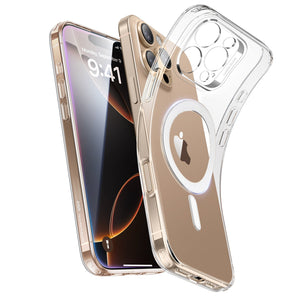
A MagSafe‑ready case keeps magnets aligned and accessories secure. The Classic Hybrid Magnetic Case with Stand gives you both protection and a built‑in stand in one product, so you do not need to choose or carry a separate MagSafe stand. This type of case keeps your stand, charger, and wallet secure while simplifying your everyday setup. 

try esr classic hybrid magnetic iphone case

Recommended Setups for Different Users

Different stand for cell phone benefits matter more depending on whether you work at a desk, travel frequently, or create content. These recommendations help match your routine to the right setup.

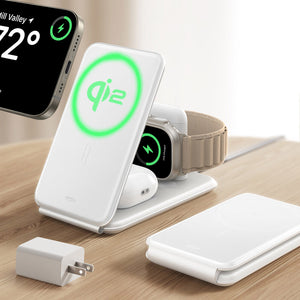
● For desk-heavy days with Apple devices, a 3‑in‑1 charging stand keeps your iPhone, watch, and earbuds powered without extra cables.

● For travel, a foldable 3‑in‑1 station packs flat and replaces three separate chargers.

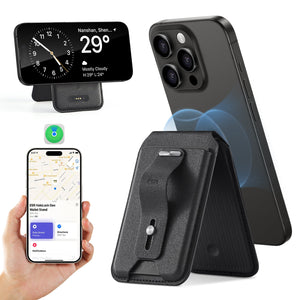
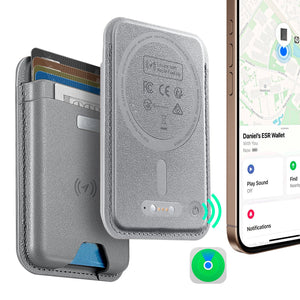
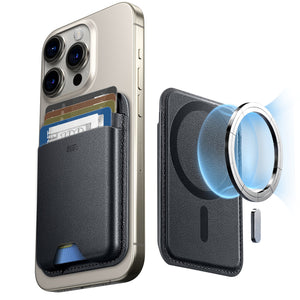
● If you want everything in one accessory, a MagSafe wallet‑stand combines cards, grip, and viewing angles in a single piece. 

esr phone stands and magcases wallet for desk and travel setups

People Also Ask

Which type of phone stand is best for office work and video calls?

Desktop phone stands work best for office use because they provide excellent stability and support. They raise your phone closer to eye level, helping you maintain a more professional appearance and comfortable posture during video calls.

Do MagSafe stands still work if my iPhone case is thick?

MagSafe stands work best with MagSafe-compatible cases that maintain proper magnetic alignment. While many MagSafe-ready cases support a secure connection, very thick or non-MagSafe cases can reduce magnetic strength and make the stand easier to detach.

Is a cheap phone stand okay for long Zoom or Teams calls?

Budget phone stands may be suitable for occasional use, but many lack the stability needed for long video calls. They can wobble, slip on smooth surfaces, or struggle to hold higher viewing angles, especially when supporting larger smartphones.

How do you use a phone stand?

Place your phone securely on the stand and adjust the viewing angle so the screen sits slightly below eye level. Phone stands are useful for video calls, watching videos, online classes, cooking, and desk work because they keep your hands free and help reduce neck strain.

What is the difference between a phone stand and a phone holder?

A phone stand typically sits on a desk or flat surface and supports your phone for hands-free viewing. A phone holder or mount is usually designed to attach to another surface, such as a car dashboard, wall, or bicycle handlebar. The main difference is how each device is positioned and secured.

Does looking down at your phone really cause neck problems?

Yes. Looking down at a phone for extended periods can contribute to neck strain, often referred to as text neck. Using a phone stand helps elevate the screen to a more comfortable viewing height, reducing the need for constant downward bending.

Do phone stands work with all smartphones, or only with certain brands?

Most phone stands are designed to be universal and work with both Android phones and iPhones. However, MagSafe stands rely on Apple's magnetic alignment system, so non-MagSafe devices may require a standard non-magnetic stand or a compatible magnetic accessory.

What is a phone stand called?

A phone stand goes by several names depending on its design and where it's used: cell phone stand, phone holder, phone dock, kickstand, phone cradle, or phone mount. "Mount" usually refers to versions that attach to a surface like a car dashboard or wall. "Stand" and "holder" both typically refer to freestanding versions that sit on a flat surface.

Is a foldable stand or a desktop stand better?

It depends on where you use your phone most. If your phone stays on one desk for most of the day, a desktop stand gives better stability and holds higher angles without tipping. If you move between locations — coffee shop, commute, hotel room — a foldable stand that fits in a pocket wins on almost every other dimension. The main trade-off with foldable stands is resistance to wobble when you tap the screen hard, which matters more during fast typing or gaming than during video playback.

Conclusion: The Smart Buying Logic

If you still wonder why to use a phone stand, start by considering how you actually use your phone each day. For mostly desk work and long calls, choose a stable desktop stand; for travel and commuting, pick a foldable stand that packs flat; and if you use an iPhone heavily, a MagSafe stand or case gives the fastest snap‑on, hands‑free setup. 

Tags: iphone 15, iPhone 16, iPhone 17, iphone 2026, iphone case, Ring Stand
Previous
AirPods Pro 3 and 2 Protection Guide 2026: Stop Buds Falling Out with Smarter Daily Habits
Next
How To Keep Your Phone Safe at School: What Every Freshman Needs to Know

Related Articles

How to Change an Apple Watch Band Safely — No Tools Needed

How to Change an Apple Watch Band Safely — No Tools Needed

choose the right Apple Watch band

How to Choose the Best Apple Watch Band for Your Style and Daily Life

are leather phone cases good,Leather iPhone Case Scratches and Stains

Are Leather Phone Cases Good? The Complete Care & Buying Guide

phone protection for college students with big deal

How To Keep Your Phone Safe at School: What Every Freshman Needs to Know

Leave a Comment

Your email address will not be published.

Recent Post

ESR’s Top 10 Best-Selling Products of 2025
ESR’s Top 10 Best-Selling Products of 2025: Your Buying Guide for 2026
by Carolin on February 08, 2026
esr anti-yellowing clear tpu case line
What is a TPU Phone Case? ESR's Model Tested for Protection & Clarity
by Javeria Salam on November 04, 2025
The best iPad Pro cases of 2025: Expert tested and reviewed
Which iPad Pro 13 Case is good for you : Zugu vs. Moft vs. ESR
by Adam on September 16, 2025
Best Cases for iPhone 17
Best Cases for iPhone 17: Which Wins— OtterBox, ESR, Apple, or Casetify?
by Nicky on September 28, 2025
best 5 magsafe iphone 17 cases
Looking for Custom iPhone Cases for New iPhone - Top 4 Options
by Carolin on September 23, 2025
6-best-iPad-Air-11-inch-Cases-With-Pencil-Holder-in-2025
6 best iPad Air 11-inch Cases With Pencil-Holder in 2025
by Sandy on April 16, 2025

Get 20% off with code: BLOG20

Company

  • About Us
  • Our Blog
  • Newsroom
  • Become a Reseller

Products

  • Designed for MagSafe
  • Protective Phone Cases
  • iPad Cases
  • Screen Protectors
  • Wireless Charging
  • Productivity
  • Magnetic Wallets
  • Other Accessories

Community

  • Affiliate Program

Support

  • Setup Videos & FAQs
  • Return and Refund
  • Warranty Policy
  • Shipping Policy

Get 10% OFF Your First Order

Get insider access to new products and promotions.

Payment options:
  • American Express
  • Apple Pay
  • Google Pay
  • Mastercard
  • PayPal
  • Shop Pay
  • Union Pay
  • Visa
  • Klarna Klarna
  • Afterpay
© 2025 ESR All rights reserved.
  • Terms of Use
  • Privacy Policy
  • Legal Declaration
  • Cookie Policy
  • Shipping Policy
  • Return and Refund
  • Do not sell or share my personal information
  • Search

Shopping Cart

Your cart is currently empty.
Add note for seller
Estimate shipping rates
Add a discount code
Subtotal ¥0.00
View Cart

Thank you for choosing to transfer to a human service.

Sorry! The previous responses were from our AI customer service. Since it didn't satisfy you, you've been transferred to a human agent. We'll reply within 24 hours from Mon to Fri and 48 hours on weekends for further help.

Please select the reason for transfer