
We regret to inform you that due to business adjustments, ESR will cease online sales in your area.
Cart 0
  • Designed for MagSafe
    • All MagSafe Products
      • Wireless Charging
      • Car Charger & Mounts
      • Charging Stands
      • MagSafe Cases
      • MagSafe Wallets
      • Power Banks
      • MagSafe Rings & Wall Mounts
      • Best MagSafe Bundles
    • Magsafe in Life
      • Desk Charging
      • Shop Auto
      • Travel Essentials
      • Workspace Power
      • Find My Technology
      • Gift Guide
  • Protection By Device
    • All Cases
      • iPhone
      • iPad🔥
      • Airpods
      • Samsung
    • Screen Protection
      • iPhone
      • iPad🔥
      • Apple Watch & Airtag
      • Samsung
      • For Tesla
    • iPad Productivity
      • Keyboards🔥
      • Styluses
    • Accessories
      • All Accessories
      • iPhone 16
      • iPhone 16e🔥
      • iPhone 16 Pro Max
      • iPhone 16 Pro
      • iPhone 16 Plus
      • iPhone 16
      • iPhone 15
      • iPhone 15 Pro Max
      • iPhone 15 Pro
      • iPhone 15 Plus
      • iPhone 15
      • iPhone 14
      • iPhone 14 Pro Max
      • iPhone 14 Pro
      • iPhone 14 Plus
      • iPhone 14
      • iPhone 13
      • iPhone 13 Pro Max
      • iPhone 13 Pro
      • iPhone 13
      • Other iPhone Series
      • Other iPhone Series
        Choose Your Device
      • iPad 11th Gen (2025)🔥
      • iPad Air 13 (2025)🔥
      • iPad Air 11 (2025)🔥
      •  
      • iPad Pro 13 (2024)
      • iPad Pro 11 (2024)
      • iPad Air 13 (2024)
      • iPad Air 11 (2024)
      • iPad mini 7 (2024)
      •  
      • iPad Pro 12.9 (2022)
      • iPad Pro 11 (2022)
      • iPad Air 5/4 (2022)
      • iPad 10th Gen (2022)
      •  
      • iPad mini 6 (2021)
      • iPad Pro 12.9 (2021)
      • iPad Pro 11 (2021)
      • iPad Pro 11 (2020)
        Choose Your Device
      • AirPods 4
      • AirPods Pro (2023/2022/2019)
      • AirPods 3
        Galaxy S25
      • Galaxy S25 Ultra
      • Galaxy S25+
      • Galaxy S24
      • Galaxy S24 Ultra
      • Galaxy S24+
      • Galaxy S24
      • Galaxy S23
      • Galaxy S23 Ultra
      • Galaxy S23
        iPhone 16
      • iPhone 16e🔥
      • iPhone 16 Pro Max
      • iPhone 16 Pro
      • iPhone 16 Plus
      • iPhone 16
      • iPhone 15
      • iPhone 15 Pro Max
      • iPhone 15 Pro
      • iPhone 15 Plus
      • iPhone 15
      • iPhone 14
      • iPhone 14 Pro Max
      • iPhone 14 Pro
      • iPhone 14 Plus
      • iPhone 14
      • iPhone 13
      • iPhone 13 Pro Max
      • iPhone 13/13 Pro
        Choose Your Device
      • iPad 11th Gen (2025)🔥
      • iPad Air 13 (2025)🔥
      • iPad Air 11 (2025)🔥
      •  
      • iPad Pro 13 (2024)
      • iPad Pro 11 (2024)
      • iPad Air 13 (2024)
      • iPad Air 11 (2024)
      •  
      • iPad Pro 12.9 (6th/5th/4th/3rd Gen)
      • iPad Pro 11 (4th/3rd/2nd/1st Gen)
      • iPad Air 5/4 (2022)
      • iPad 10th Gen (2022)
      •  
         
      • Apple Watch & Airtag
        Galaxy S25
      • Galaxy S25 Ultra
      • Galaxy S24
      • Galaxy S24 Ultra
      • Galaxy S23
      • Galaxy S23 Ultra
      • Galaxy S23+
      • Galaxy S23
      • Galaxy S22
      • Galaxy S22 Ultra
      • Other Samsung Series
      • Galaxy S21+
      • Galaxy S21
         
      • Tesla Tempered-Glass Touchscreen Protector
        Choose Your Device
      • iPad 11th Gen (2025)🔥
      • iPad Air 13 (2025)🔥
      • iPad Air 11 (2025)🔥
      •  
      • iPad Pro 13 (2024)
      • iPad Pro 11 (2024)
      • iPad Air 13 (2024)
      • iPad Air 11 (2024)
      •  
      • iPad Pro 12.9 (6th/5th/4th/3rd)
      • iPad Pro 11 (4th/3rd/2nd/1st)
      • iPad Air 5/4 (2022)
      • iPad 10th Gen (2022)
         
      • Styluses
         
      • Magnetic Wallet
      • MagSafe Rings & Mounts
      • Other Accessories
  • New Arrival
    • iPad 2025 Series
    • iPhone 16e
    • Galaxy S25 Series
    • Protect Your iPhone 16 Camera Control Button
    • 15W Qi2 Wireless Charging
  • Support
    • Product Videos & FAQs
    • General FAQ
  • Explore
    • About Us
    • ESR Blog
    • Newsroom
    • Become a Reseller
My Account
Log in Register
English
  • Designed for MagSafe
    • All MagSafe Products
      • Wireless Charging
      • Car Charger & Mounts
      • Charging Stands
      • MagSafe Cases
      • MagSafe Wallets
      • Power Banks
      • MagSafe Rings & Wall Mounts
      • Best MagSafe Bundles
    • Magsafe in Life
      • Desk Charging
      • Shop Auto
      • Travel Essentials
      • Workspace Power
      • Find My Technology
      • Gift Guide
    • Wireless Charging
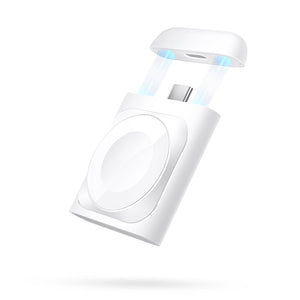
      • Portable Charger for Apple Watch - White

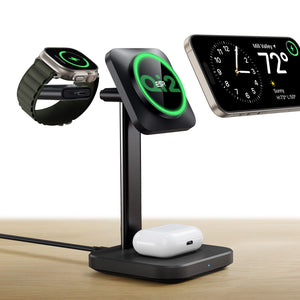
      • Qi2 3-in-1 Watch Wireless Charging Set (HaloLock) - Black - US PLUG

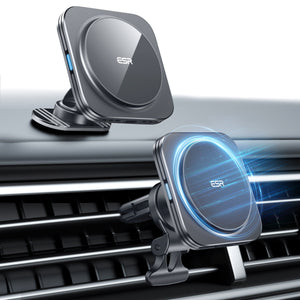
      • Magnetic Wireless Car Charger (HaloLock) - Grey

      • Universal Ring 360 (HaloLock) - White-2 Pack

      • All Wireless Charging >
      Charging Stands
      • Qi2 3-in-1 Watch Wireless Charging Set (HaloLock) - Black - EU PLUG

      • CryoBoost™ Pro Bundle (HaloLock) - US Plug

      • MagSafe Charger with CryoBoost Everyday Bundle - EU Plug

      • Magsafe Charger One-Stop Bundle - Black/White

      • All Charging Stands >
      MagSafe Cases
      • iPhone 16 Pro Max Cyber Tough Case with Stash Stand Privacy Protection Bundle - Black

      • iPhone 16 Pro Max HaloLock Classic Hybrid Case (Camera Control) - Clear

      • iPhone 16 Pro Max HaloLock Classic Hybrid Case (Camera Control, Stash Stand) - Clear

      • iPhone 16 Pro Max Zero Clear Case (HaloLock) - Clear

      • All MagSafe Cases >
      MagSafe Wallets
      • Geo Wallet Stand (HaloLock) with Built-in Find My - Midnight Black

      • Geo Wallet Boost (HaloLock) - Grey

      • Magnetic Wallet Boost (HaloLock) - Black

      • Grip Wallet Stand (HaloLock) - Black Carbon Fiber

      • All MagSafe Wallets >
      Power Banks
      • Qi2 MagSlim Kickstand Power Bank (10K) - Black

      • Qi2 MagSlim Power Bank (5K) - Black

      • Qi2 MagSlim Power Bank (10K) - Blue

      • Qi2 5,000 mAh MagSlim Kickstand Power Bank - White

      • All Power Banks >
      MagSafe Rings & Wall Mounts
      • Airplane Phone Holder Mount (HaloLock) - Black

      • Ring Stand (HaloLock) - Sierra Blue

      • Universal Ring (HaloLock) - Black/Silver-4 Pack

      • Universal Ring 360 (HaloLock) - White-2 Pack

      • All MagSafe Rings & Wall Mounts >
      Best MagSafe Bundles
      • CryoBoost™ Pro Bundle (HaloLock) - US Plug

      • Orbit Hybrid Everyday-Carry Bundle for AirPods Pro (2023/2022/2019) - Blue

      • Orbit Hybrid Everyday-Carry Bundle for AirPods Pro (2023/2022/2019) - Purple

      • Orbit Hybrid Everyday-Carry Bundle for AirPods Pro (2023/2022/2019) - Pink

      • All Best MagSafe Bundles >
      Desk Charging
      • Qi2 mini Kickstand Wireless Charger (HaloLock) - Dark Blue

      • CryoBoost™ Pro Bundle (HaloLock) - US Plug

      • Kickstand MagSafe Compatible Wireless Charger (HaloLock) - Black

      • HaloLock™ 3-in-1 Travel Wireless Charging Set - Black - US Plug

      • All Desk Charging >
      Find My Technology
      • Geo Wallet Stand (HaloLock) with Built-in Find My - Midnight Black

      • Geo Wallet Boost (HaloLock) - Grey

      • Geo Digital Pencil with Built-in Find My - White

      • All Find My Technology >
      Gift Guide
      • Geo Wallet Boost (HaloLock) - Brown

      • Qi2 3-in-1 Travel Wireless Charging Set - White - US Plug

      • Qi2 MagSlim Power Bank (10K) - Blue

      • AirPods 4 Cyber FlickLock Case (HaloLock) - Titanium

      • All Gift Guide >
  • Protection By Device
    • All Cases
      • iPhone
      • iPad🔥
      • Airpods
      • Samsung
    • Screen Protection
      • iPhone
      • iPad🔥
      • Apple Watch & Airtag
      • Samsung
      • For Tesla
    • iPad Productivity
      • Keyboards🔥
      • Styluses
    • Accessories
      • All Accessories
      • iPhone 16
      • iPhone 16e🔥
      • iPhone 16 Pro Max
      • iPhone 16 Pro
      • iPhone 16 Plus
      • iPhone 16
      • iPhone 15
      • iPhone 15 Pro Max
      • iPhone 15 Pro
      • iPhone 15 Plus
      • iPhone 15
      • iPhone 14
      • iPhone 14 Pro Max
      • iPhone 14 Pro
      • iPhone 14 Plus
      • iPhone 14
      • iPhone 13
      • iPhone 13 Pro Max
      • iPhone 13 Pro
      • iPhone 13
      • Other iPhone Series
      • Other iPhone Series
        Choose Your Device
      • iPad 11th Gen (2025)🔥
      • iPad Air 13 (2025)🔥
      • iPad Air 11 (2025)🔥
      •  
      • iPad Pro 13 (2024)
      • iPad Pro 11 (2024)
      • iPad Air 13 (2024)
      • iPad Air 11 (2024)
      • iPad mini 7 (2024)
      •  
      • iPad Pro 12.9 (2022)
      • iPad Pro 11 (2022)
      • iPad Air 5/4 (2022)
      • iPad 10th Gen (2022)
      •  
      • iPad mini 6 (2021)
      • iPad Pro 12.9 (2021)
      • iPad Pro 11 (2021)
      • iPad Pro 11 (2020)
        Choose Your Device
      • AirPods 4
      • AirPods Pro (2023/2022/2019)
      • AirPods 3
        Galaxy S25
      • Galaxy S25 Ultra
      • Galaxy S25+
      • Galaxy S24
      • Galaxy S24 Ultra
      • Galaxy S24+
      • Galaxy S24
      • Galaxy S23
      • Galaxy S23 Ultra
      • Galaxy S23
        iPhone 16
      • iPhone 16e🔥
      • iPhone 16 Pro Max
      • iPhone 16 Pro
      • iPhone 16 Plus
      • iPhone 16
      • iPhone 15
      • iPhone 15 Pro Max
      • iPhone 15 Pro
      • iPhone 15 Plus
      • iPhone 15
      • iPhone 14
      • iPhone 14 Pro Max
      • iPhone 14 Pro
      • iPhone 14 Plus
      • iPhone 14
      • iPhone 13
      • iPhone 13 Pro Max
      • iPhone 13/13 Pro
        Choose Your Device
      • iPad 11th Gen (2025)🔥
      • iPad Air 13 (2025)🔥
      • iPad Air 11 (2025)🔥
      •  
      • iPad Pro 13 (2024)
      • iPad Pro 11 (2024)
      • iPad Air 13 (2024)
      • iPad Air 11 (2024)
      •  
      • iPad Pro 12.9 (6th/5th/4th/3rd Gen)
      • iPad Pro 11 (4th/3rd/2nd/1st Gen)
      • iPad Air 5/4 (2022)
      • iPad 10th Gen (2022)
      •  
         
      • Apple Watch & Airtag
        Galaxy S25
      • Galaxy S25 Ultra
      • Galaxy S24
      • Galaxy S24 Ultra
      • Galaxy S23
      • Galaxy S23 Ultra
      • Galaxy S23+
      • Galaxy S23
      • Galaxy S22
      • Galaxy S22 Ultra
      • Other Samsung Series
      • Galaxy S21+
      • Galaxy S21
         
      • Tesla Tempered-Glass Touchscreen Protector
        Choose Your Device
      • iPad 11th Gen (2025)🔥
      • iPad Air 13 (2025)🔥
      • iPad Air 11 (2025)🔥
      •  
      • iPad Pro 13 (2024)
      • iPad Pro 11 (2024)
      • iPad Air 13 (2024)
      • iPad Air 11 (2024)
      •  
      • iPad Pro 12.9 (6th/5th/4th/3rd)
      • iPad Pro 11 (4th/3rd/2nd/1st)
      • iPad Air 5/4 (2022)
      • iPad 10th Gen (2022)
         
      • Styluses
         
      • Magnetic Wallet
      • MagSafe Rings & Mounts
      • Other Accessories
  • New Arrival
    • iPad 2025 Series
    • iPhone 16e
    • Galaxy S25 Series
    • Protect Your iPhone 16 Camera Control Button
    • 15W Qi2 Wireless Charging
  • Support
    • Product Videos & FAQs
    • General FAQ
  • Explore
    • About Us
    • ESR Blog
    • Newsroom
    • Become a Reseller
Account Cart 0
English

Search our store

Account Cart 0
Popular Searches:
iPad 2025 iPhone 16 camera control Qi2 Wireless Charging Magnetic Wallet
How Tos

Apple Pencil funktioniert nicht? Hier erfährst du, wie du das Problem beheben kannst!

by Karolin on Aug 16, 2021
Apple Pencil funktioniert nicht

Hast du irgendwelche technischen Probleme bei der Verwendung deines Apple Pencil? Hier sind ein paar Optionen, die du ausprobieren kannst.

In den meisten Fällen funktioniert der Apple Pencil perfekt und tut genau das, wofür er entwickelt wurde. Es ist aber auch möglich, dass er verschiedene Fehler aufweist, die von der Nichtaktivierung über das Nichtreagieren des Apple Stylus in bestimmten Apps bis hin zum Verschwinden aus dem Akkumenü der Benachrichtigungszentrale des Smartphones reichen. Egal, was mit deinem Apple Pencil schief läuft, wir haben die Lösung für dich. Beachte die folgenden Tipps, um dein Problem zu beheben.

Die Spitze anziehen

Die Spitze des Apple Pencil löst sich oft ab. Normalerweise löst sich dieser Teil des Stifts aufgrund von Abnutzung ab. In diesem Fall muss man die aktuelle Spitze gegen die Ersatzspitze austauschen, die in der Verpackung aufbewahrt wird.

Es kann auch vorkommen, dass sich die Spitze nach längerem Gebrauch löst und man sie wieder festschrauben muss, um sie wieder funktionsfähig zu machen. Das Festziehen der Spitze ist eine einfache Aufgabe, die keine großen technischen Kenntnisse erfordert. Vermeide es, dabei zu viel Druck auszuüben, und schraub sie richtig fest.

So lösen Sie den Apple Pencil funktioniert nicht

Den Akku überprüfen

Der Akku des Apple Pencil muss für einen optimalen Betrieb ordnungsgemäß geladen sein. Du kannst den aktuellen Akkustand des Pencil mit den folgenden Schritten überprüfen:

  1. Navigiere zu den Widgets auf deinem iPad, um den Akkustand deines Pencil anzuzeigen. Du kannst Widgets in der Ansicht „Heute“ ausfindig machen. Um dorthin zu gelangen, streiche vom linken Rand des Home-Bildschirms oder des Sperrbildschirms nach rechts oder während du die Benachrichtigungen des Handys durchsuchst.
  2. Überprüf das Widget „Batterien“. Wenn du den Apple Pencil dort nicht findest, vergewissere dich, dass er ordnungsgemäß über Bluetooth verbunden ist und dass die Batterien für die Anzeige in der Ansicht „Heute“ ausgewählt wurden.
  3. Du kannst den Akkustatus deines Geräts auch überprüfen, indem du auf „Einstellungen“ > „Apple Pencil“ klickst und nach der prozentualen Anzeige des Akkus am oberen Rand des Bildschirms suchst.
  4. Wenn der angezeigte Akkustand 0 % beträgt, muss der Pencil aufgeladen werden.

Den Apple Pencil aufladen

Als Nächstes muss sichergestellt werden, dass der Akku des Apple Pencil vollständig aufgeladen ist. Es mag albern klingen, aber es gibt Fälle, in denen dieser einzigartige Stift aufgrund eines niedrigen Akkustands nicht optimal funktionieren würde. Navigiere zum Benachrichtigungszentrum und identifiziere Apple Pencil unter dem Abschnitt „Batterien“.

Wenn der Stift keinen Akku mehr hat oder längere Zeit nicht benutzt wurde, kann es etwa 10 Minuten dauern, bis der Stift wieder richtig funktioniert. Gerate nicht in Panik, wenn du das Gerät nicht sofort sehen kannst, sondern gib ihm etwas Zeit zum Aufladen. Der Apple Pencil wird schnell aufgeladen und sollte im Handumdrehen einsatzbereit sein.

Benutzer können den Pencil durch einen der folgenden Schritte aufladen:

  • Lade den Apple Pencil 2 auf, indem du ihn magnetisch an der Seite des iPad anbringst. Man muss sicherstellen, dass das Zubehör über Bluetooth mit dem Tablet verbunden ist, damit dieser Stift geladen werden kann.
  • Lade den Apple Pencil 1 auf, indem du ihn einfach in den Lightning Anschluss des Tablets steckst oder den USB Adapter für den Pencil verwendest.

Neu starten

Es gibt Fälle, in denen der Fehler nicht vom Apple Pencil selbst, sondern vom iPad Pro ausgeht. In diesem Fall könnte ein einfacher Neustart die Lösung sein, die alle Probleme beseitigt. Du kannst dein iPad normal neu starten oder einen Hard-Reset durchführen, wenn du glaubst, dass dies das Problem beheben würde. Unabhängig davon, ob du das iPad Pro oder den Apple Pencil neu startest, sollte es die Dinge zurücksetzen, wenn du ein kleines Problem hast.

Lösungswege für Apple Pencil funktioniert nicht

Die Kompatibilität des Pencil mit dem iPad bestätigen

Apple Pencil 1 und 2 sind für unterschiedliche iPad Modelle konzipiert. Das bedeutet, wenn man versucht, den Apple Pencil 1 mit einem Tablet zu verwenden, das für den Apple Pencil 2 ausgelegt ist, funktioniert das nicht.

Folgende iPads sind mit dem Apple Pencil 1 kompatibel:

  • iPad (6. und 7. Generation)
  • iPad Pro 9,7 Zoll
  • iPad Pro 10,5 Zoll
  • iPad Pro 12,9 Zoll (1. Oder 2. Generation)
  • iPad mini (5. Generation)
  • iPad Air (3. Generation)

Folgende iPads sind mit dem Apple Pencil 2 kompatibel:

  • iPad Pro 12,9 Zoll (3. und 4. Generation)
  • iPad Pro 11 Zoll

Prüf, ob das Bluetooth des Tablets eingeschaltet ist

Der Apple Pencil funktioniert nur mit dem Gerät, wenn es über Bluetooth verbunden ist. Wenn dein Apple Pencil in der Liste der verbundenen Geräte unter dem Widget „Batterien“ fehlt oder du das Widget „Batterien“ überhaupt nicht finden kannst, dann kann es sein, dass du dein Bluetooth nicht eingeschaltet hast.

Geh wie folgt vor, um zu prüfen, ob dein Bluetooth eingeschaltet ist:

  • Klick im Menü des iPad auf „Einstellungen“.
  • Wähle Bluetooth. Drück den Schalter, um das Bluetooth des Geräts ein- und auszuschalten. Der Apple Pencil ist auf der Registerkarte „Meine Geräte“ zu finden, wenn er erfolgreich verbunden wurde.
  • Wenn sich Bluetooth nicht einschalten lässt oder ein Ladesymbol angezeigt wird, starte das iPad neu und versuche erneut, die Verbindung herzustellen.

Die App unterstützt den Apple Pencil nicht

Nicht alle Apps sind für die Unterstützung des Apple Pencil ausgelegt. Um zu überprüfen, ob der Apple Pencil funktioniert, öffne eine unterstützte App wie z. B. Notizen und versuche, dieses Zubehör zu verwenden. Die Notizen-App ist die beste Wahl, um den Pencil zu testen, und sie sollte auf dem Startbildschirm deines Geräts zu finden sein. Wenn du die Notizen-App nicht hast, lade sie herunter.

Fazit

Wenn du alle oben genannten Optionen ausprobiert hast und immer noch Probleme mit deinem Apple Pencil hast, musst du dich möglicherweise an Apple wenden. Du kannst ihn entweder zu deinem lokalen Apple Store bringen oder 1-800-MY-APPLE anrufen. Für den Apple Pencil gilt eine einjährige eingeschränkte Garantie. Wenn das Gerät nicht mehr von der Garantie abgedeckt ist, kostet ein Batterieservice 29 €. Bald wird dein Apple Pencil wieder problemlos funktionieren.

Previous
Wie reinigt man die Apple AirPods oder das Ladecase der AirPods?
Next
Wie schützt man die Kamera des iPhone 13 Pro/13 Pro Max vor Staub und Kratzern?

Related Articles

Best Wireless Chargers ESR

Kaufguide für kabellose Ladegeräte: Sucht ihr nach Geschenkideen für das neue Jahr?

Apple-iPhone-14-Pro-iPhone-14-Pro-Max

Wie schützt man die Kamera des iPhone 14 Pro/14 Pro Max vor Staub und Kratzern?

iPad Air 5 VS iPad mini 6

iPad Air 5 vs. iPad mini 6: Was ist der Unterschied und welches sollte man kaufen?

Samsung Galaxy S22 Ultra vs. iPhone 13 Pro Max

Samsungs Galaxy S22 Ultra vs. iPhone 13 Pro Max: Welches sollte man kaufen?

Leave a Comment

Your email address will not be published.

Recent Post

ESR’s Top 10 Best-Selling Products of 2025
ESR’s Top 10 Best-Selling Products of 2025: Your Buying Guide for 2026
by Carolin on February 08, 2026
esr anti-yellowing clear tpu case line
What is a TPU Phone Case? ESR's Model Tested for Protection & Clarity
by Javeria Salam on November 04, 2025
The best iPad Pro cases of 2025: Expert tested and reviewed
Which iPad Pro 13 Case is good for you : Zugu vs. Moft vs. ESR
by Adam on September 16, 2025
Best Cases for iPhone 17
Best Cases for iPhone 17: Which Wins— OtterBox, ESR, Apple, or Casetify?
by Nicky on September 28, 2025
best 5 magsafe iphone 17 cases
Looking for Custom iPhone Cases for New iPhone - Top 4 Options
by Carolin on September 23, 2025
6-best-iPad-Air-11-inch-Cases-With-Pencil-Holder-in-2025
6 best iPad Air 11-inch Cases With Pencil-Holder in 2025
by Sandy on April 16, 2025

Get 20% off with code: BLOG20

Company

  • About Us
  • Our Blog
  • Newsroom
  • Become a Reseller

Products

  • Designed for MagSafe
  • Protective Phone Cases
  • iPad Cases
  • Screen Protectors
  • Wireless Charging
  • Productivity
  • Magnetic Wallets
  • Other Accessories

Community

  • Affiliate Program

Support

  • Setup Videos & FAQs
  • Return and Refund
  • Warranty Policy
  • Shipping Policy

Get 10% OFF Your First Order

Get insider access to new products and promotions.

Payment options:
  • American Express
  • Apple Pay
  • Google Pay
  • Mastercard
  • PayPal
  • Shop Pay
  • Union Pay
  • Visa
  • Klarna Klarna
  • Afterpay
© 2025 ESR All rights reserved.
  • Terms of Use
  • Privacy Policy
  • Legal Declaration
  • Cookie Policy
  • Shipping Policy
  • Return and Refund
  • Do not sell or share my personal information
  • Search

Shopping Cart

Your cart is currently empty.
Add note for seller
Estimate shipping rates
Add a discount code
Subtotal ¥0.00
View Cart

Thank you for choosing to transfer to a human service.

Sorry! The previous responses were from our AI customer service. Since it didn't satisfy you, you've been transferred to a human agent. We'll reply within 24 hours from Mon to Fri and 48 hours on weekends for further help.

Please select the reason for transfer