




With the launch of the iPad Air 8th Gen (M4), many users with the Air 7th Gen (M3) or older are wondering whether to upgrade. The new model promises a faster performance and improved wireless connectivity. At the same time, the previous generation already handles everyday tasks and multitasking more effectively.
That makes the comparison between the iPad Air 7th Gen and the iPad Air 8th Gen focus on everyday needs rather than hype. In this article, we will compare performance and future usefulness in practical terms. This guide will help you decide whether upgrading now is smart or if it's better to save your money.

Quick Comparison Between iPad Air 7 & iPad Air 8: Key Specs at a Glance
Performance and Longevity: How Big Is the M3 vs M4 Difference?
Display and Design: Is There an Instant “Wow” Upgrade?
Connectivity and Accessories: The Subtle Upgrades That Matter
Price and Positioning: Who Should Actually Upgrade?
Quick Comparison Between iPad Air 7 & iPad Air 8: Key Specs at a Glance
A quick side-by-side comparison makes it easier to see what has changed between these two Air models.
| Feature | iPad Air 8, M4 | iPad Air 7, M3 |
|---|---|---|
| Sizes | 11 inch, 13 inch | 11 inch, 13 inch |
| Chip | M4 | M3 |
| Memory | 12GB unified memory | 8GB unified memory |
| Display brightness | 500 nits on 11 inch, 600 nits on 13 inch | 500 nits on 11 inch, 600 nits on 13 inch |
| Battery | 28.93Wh on 11 inch, 36.59Wh on 13 inch | 28.93Wh on 11 inch, 36.59Wh on 13 inch |
| Wireless | Wi-Fi 7, Bluetooth 6 | Wi Fi 6E, Bluetooth 5.3 |
| Apple Pencil support | Apple Pencil Pro, Apple Pencil (USB-C) | Apple Pencil Pro, Apple Pencil (USB-C) |
| Positioning | Better future readiness and connectivity | Still strong for most everyday and creative tasks |
The newer chip and better wireless hardware mean smoother multitasking and more stable streaming while working or studying. Small gains in thermals help the tablet stay cooler and improve battery life when using demanding creative apps. The iPad Air 8th Gen specs show the biggest difference is for power users, and light users may barely notice changes.
Performance and Longevity: How Big Is the M3 vs M4 Difference?
Having compared both iPads, the M3 chipset in the iPad Air 7th gen is strong enough for most creative tasks. The newer M4 chipset focuses more on cooler operation and long-term support than on dramatic, visible speed jumps.
1. Daily Tasks: For web browsing and streaming, both chipsets feel fast and similar. Most light users might not notice any changes, so the daily experience stays almost the same.
2. Productivity and Multitasking: When switching between several apps and calls, the M4 handles background tasks a bit more efficiently. This can mean fewer slowdowns when many apps are running simultaneously.
3. Creative and Heavy Workloads: For multi-track video editing and large drawings, the M4 chip's real-world performance becomes more noticeable. Projects export faster, and the device stays cooler during longer, intensive working sessions.
4. Battery Life and Thermals: Small efficiency gains help the M4 chipset stay cooler during demanding tasks and slightly extend the battery life under heavy workloads.
5. Long-term Support and Future Features: The newer chip should receive software updates and advanced features for a longer time. This makes the M4 model more appealing if you keep your iPad for longer between upgrades.

Display and Design: Is There an Instant “Wow” Upgrade?
For most users, the overall look stays familiar, while the bigger differences show up in how the screen behaves.
Design: Familiar Shape, Subtle Refinements
The flat-edge body, thin bezels, and aluminum frame remain, so handling and grip feel almost identical. Port and button layout are unchanged, which means most existing keyboard cases and stands still fit. Any changes focus on weight balance and slight thickness tweaks to make long reading more comfortable. Small refinements to the finish and coating also reduce fingerprints and improve the iPad Air 8th-gen's long-term look.
Display: Comfort and Clarity
Panel size, resolution, and the 60 Hz refresh rate remain similar on both models, delivering smooth scrolling and sharp text. Improved brightness control helps late-night reading feel easier on your eyes. A better anti-reflective coating and smarter brightness handling improve outdoor visibility when working with videos.

Connectivity and Accessories: The Subtle Upgrades That Matter
Faster wireless hardware creates a clearer gap between the M3 and M4 iPad Air when networks get busy.
Wireless and Cellular: Speed and Stability
The M4 model adds Apple’s N1 wireless chip, bringing Wi‑Fi 7 and newer Bluetooth support. Wi‑Fi 7 offers up to four times the bandwidth of Wi‑Fi 6, using 320 MHz channels for higher speed. A new C1X 5G modem delivers around 50% faster mobile data while drawing roughly 30% less power.
Why iPad Air 8 Connectivity Feels Better
● Handles video meetings with fewer stutters during busy home or office network hours.
● Streams high-resolution content more reliably during travel and in crowded public Wi‑Fi areas.
● Downloads large files faster, which helps with school projects and professional workflows.
● Keeps online games more responsive, which reduces lag and sudden disconnections.

Apple Pencil and Keyboards
Both iPad Air models support modern keyboard cases and Apple Pencil Pro, making them suitable for note-taking, sketching, and productivity workflows. Each model also supports Apple Pencil Pro, enabling smoother note-taking, sketching, and editing for students and creators.
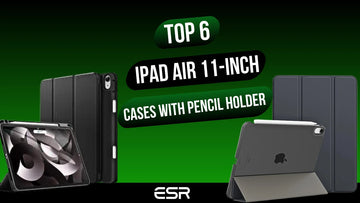
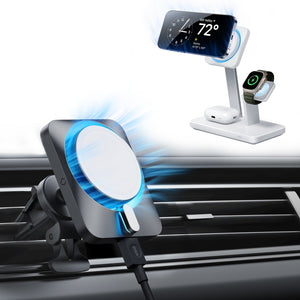
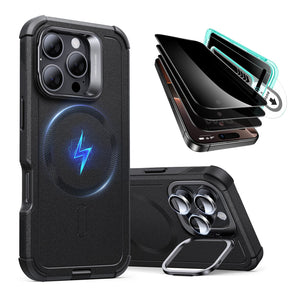
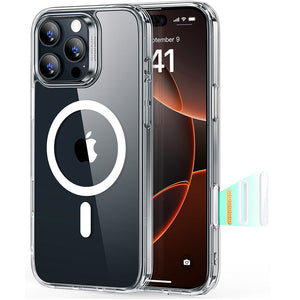
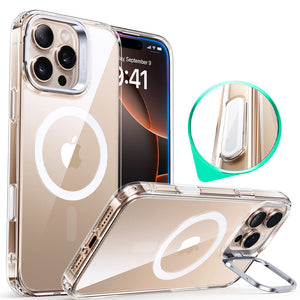
This is where ESR comes in with the iPad 2026 accessory collection, offering curated add-ons designed specifically for recent iPad models. ESR offers durable screen protectors, protective iPad cases, and iPad Air keyboard cases that complete setups for work, editing, and other uses. To upgrade accessories more affordably, use the code BLOG20 at checkout for 20% off and receive 20% off eligible ESR iPad and other accessories.

Best Apple Pencil Alternative
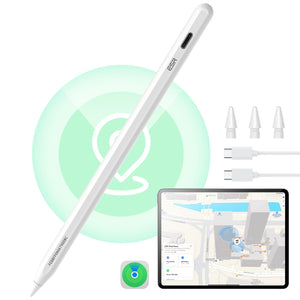
For many iPad users, Apple Pencil is an essential tool for writing, drawing, and marking up documents. If you do not have the budget for an official Apple Pencil, the Geo Digital Pencil with built-in Find My is a more affordable option. It also includes a handy shortcut button for quick actions and skips wireless charging to keep things budget-friendly.

Price and Positioning: Who Should Actually Upgrade?
The 11-inch iPad Air 8th gen starts at $599, and the 13-inch version begins from $799. If you want to save money, the iPad Air 7th gen often drops close to $500. For light users, choosing a cheaper generation model can offer better value without sacrificing too much performance. Power users who create large projects and need longer software support would benefit more from paying for the newer iPad 8th gen with the M4 chipset.
Who Needs the Upgrade?
Not sure if the upgrade is for you? Follow this 30-second logic flow to find your perfect iPad Air match:
| If your current status is... | The Verdict | The Reason | ESR Power-Up |
|---|---|---|---|
| Using an iPad Air 7 (M3) | Stay Put! | The M3 is still a beast. Unless you absolutely need Wi-Fi 7, your current device is more than ready for 2026. | Refresh your setup with a new Rebound Magnetic Case. |
| Using an A-Series iPad (Air 4/5 or older) | Buy M4 | You’ll notice a major jump in speed, display clarity, and multitasking. It’s a true upgrade. | Protect it with an Armorite Screen Protector. |
| An AI Power User | Buy M4 | The upgraded Neural Engine is built for advanced iPadOS AI features, making tasks like summarizing and editing much faster. | Pair it with a Shift Magnetic Case for a complete AI workstation setup. |
| On a Strict Budget | Grab a Discounted M3 | With the M4 released, M3 prices are dropping—making it the best value for M-series performance. | Use the savings to get a Digital Pencil with Find My. |

When Is the Best Time to Buy?
| Timing | Why It’s Good | Best For |
|---|---|---|
| Right after a new Air launches | Longest support and access to the latest features | Future-proof buyers, heavy users |
| 1–3 months after launch | Early discounts start to appear | Students, creators, mixed-use users |
| Big sale events | Deepest price drops | Budget-focused buyers |
| Post-holiday clearance | Additional markdowns on remaining stock | Deal hunters, secondary device buyers |
Check out more buying tips:When Is the Right Time to Buy a New iPad in 2026 and Beyond?
Final Verdict
In conclusion, the choice of upgrade depends on how demanding your daily iPad tasks are. Power users who edit videos and multitask see clearer gains when comparing the iPad Air 7th gen and the iPad Air 8th gen. More casual users who stream and take notes can wait another generation before spending extra money. If you do decide to refresh your setup, consider checking out ESR products and don’t forget to avail 20% off.
People Also Ask
How long will the iPad Air 7 continue receiving software updates?
Apple typically supports iPads with major software updates for around six years, so the iPad Air 7th generation should continue receiving updates into the early 2030s.
Is the iPad Air 8th gen powerful enough to replace a laptop for travel or remote work?
With the right apps and a high-quality keyboard case like those from ESR, the iPad Air 8 is powerful enough to handle most travel or remote work tasks typically done on a laptop.
What kind of case or screen protector is recommended for the iPad Air 8?
A slim protective case paired with a durable tempered-glass screen protector, such as ESR Armorite, offers reliable everyday protection for the iPad Air 8.