
We regret to inform you that due to business adjustments, ESR will cease online sales in your area.
Cart 0
  • Designed for MagSafe
    • All MagSafe Products
      • Wireless Charging
      • Car Charger & Mounts
      • Charging Stands
      • MagSafe Cases
      • MagSafe Wallets
      • Power Banks
      • MagSafe Rings & Wall Mounts
      • Best MagSafe Bundles
    • Magsafe in Life
      • Desk Charging
      • Shop Auto
      • Travel Essentials
      • Workspace Power
      • Find My Technology
      • Gift Guide
  • Protection By Device
    • All Cases
      • iPhone
      • iPad🔥
      • Airpods
      • Samsung
    • Screen Protection
      • iPhone
      • iPad🔥
      • Apple Watch & Airtag
      • Samsung
      • For Tesla
    • iPad Productivity
      • Keyboards🔥
      • Styluses
    • Accessories
      • All Accessories
      • iPhone 16
      • iPhone 16e🔥
      • iPhone 16 Pro Max
      • iPhone 16 Pro
      • iPhone 16 Plus
      • iPhone 16
      • iPhone 15
      • iPhone 15 Pro Max
      • iPhone 15 Pro
      • iPhone 15 Plus
      • iPhone 15
      • iPhone 14
      • iPhone 14 Pro Max
      • iPhone 14 Pro
      • iPhone 14 Plus
      • iPhone 14
      • iPhone 13
      • iPhone 13 Pro Max
      • iPhone 13 Pro
      • iPhone 13
      • Other iPhone Series
      • Other iPhone Series
        Choose Your Device
      • iPad 11th Gen (2025)🔥
      • iPad Air 13 (2025)🔥
      • iPad Air 11 (2025)🔥
      •  
      • iPad Pro 13 (2024)
      • iPad Pro 11 (2024)
      • iPad Air 13 (2024)
      • iPad Air 11 (2024)
      • iPad mini 7 (2024)
      •  
      • iPad Pro 12.9 (2022)
      • iPad Pro 11 (2022)
      • iPad Air 5/4 (2022)
      • iPad 10th Gen (2022)
      •  
      • iPad mini 6 (2021)
      • iPad Pro 12.9 (2021)
      • iPad Pro 11 (2021)
      • iPad Pro 11 (2020)
        Choose Your Device
      • AirPods 4
      • AirPods Pro (2023/2022/2019)
      • AirPods 3
        Galaxy S25
      • Galaxy S25 Ultra
      • Galaxy S25+
      • Galaxy S24
      • Galaxy S24 Ultra
      • Galaxy S24+
      • Galaxy S24
      • Galaxy S23
      • Galaxy S23 Ultra
      • Galaxy S23
        iPhone 16
      • iPhone 16e🔥
      • iPhone 16 Pro Max
      • iPhone 16 Pro
      • iPhone 16 Plus
      • iPhone 16
      • iPhone 15
      • iPhone 15 Pro Max
      • iPhone 15 Pro
      • iPhone 15 Plus
      • iPhone 15
      • iPhone 14
      • iPhone 14 Pro Max
      • iPhone 14 Pro
      • iPhone 14 Plus
      • iPhone 14
      • iPhone 13
      • iPhone 13 Pro Max
      • iPhone 13/13 Pro
        Choose Your Device
      • iPad 11th Gen (2025)🔥
      • iPad Air 13 (2025)🔥
      • iPad Air 11 (2025)🔥
      •  
      • iPad Pro 13 (2024)
      • iPad Pro 11 (2024)
      • iPad Air 13 (2024)
      • iPad Air 11 (2024)
      •  
      • iPad Pro 12.9 (6th/5th/4th/3rd Gen)
      • iPad Pro 11 (4th/3rd/2nd/1st Gen)
      • iPad Air 5/4 (2022)
      • iPad 10th Gen (2022)
      •  
         
      • Apple Watch & Airtag
        Galaxy S25
      • Galaxy S25 Ultra
      • Galaxy S24
      • Galaxy S24 Ultra
      • Galaxy S23
      • Galaxy S23 Ultra
      • Galaxy S23+
      • Galaxy S23
      • Galaxy S22
      • Galaxy S22 Ultra
      • Other Samsung Series
      • Galaxy S21+
      • Galaxy S21
         
      • Tesla Tempered-Glass Touchscreen Protector
        Choose Your Device
      • iPad 11th Gen (2025)🔥
      • iPad Air 13 (2025)🔥
      • iPad Air 11 (2025)🔥
      •  
      • iPad Pro 13 (2024)
      • iPad Pro 11 (2024)
      • iPad Air 13 (2024)
      • iPad Air 11 (2024)
      •  
      • iPad Pro 12.9 (6th/5th/4th/3rd)
      • iPad Pro 11 (4th/3rd/2nd/1st)
      • iPad Air 5/4 (2022)
      • iPad 10th Gen (2022)
         
      • Styluses
         
      • Magnetic Wallet
      • MagSafe Rings & Mounts
      • Other Accessories
  • New Arrival
    • iPad 2025 Series
    • iPhone 16e
    • Galaxy S25 Series
    • Protect Your iPhone 16 Camera Control Button
    • 15W Qi2 Wireless Charging
  • Support
    • Product Videos & FAQs
    • General FAQ
  • Explore
    • About Us
    • ESR Blog
    • Newsroom
    • Become a Reseller
My Account
Log in Register
English
  • Designed for MagSafe
    • All MagSafe Products
      • Wireless Charging
      • Car Charger & Mounts
      • Charging Stands
      • MagSafe Cases
      • MagSafe Wallets
      • Power Banks
      • MagSafe Rings & Wall Mounts
      • Best MagSafe Bundles
    • Magsafe in Life
      • Desk Charging
      • Shop Auto
      • Travel Essentials
      • Workspace Power
      • Find My Technology
      • Gift Guide
    • Wireless Charging
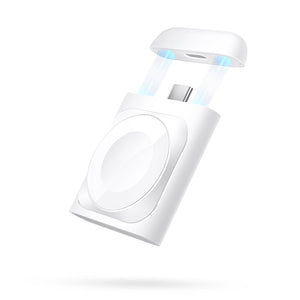
      • Portable Charger for Apple Watch - White

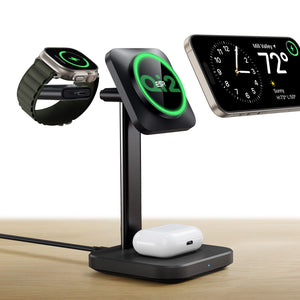
      • Qi2 3-in-1 Watch Wireless Charging Set (HaloLock) - Black - US PLUG

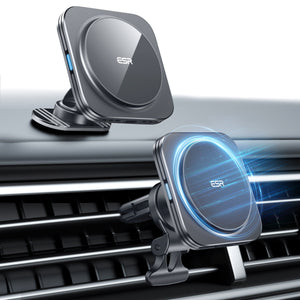
      • Magnetic Wireless Car Charger (HaloLock) - Grey

      • Universal Ring 360 (HaloLock) - White-2 Pack

      • All Wireless Charging >
      Car Charger & Mounts
      • Qi2 Wireless Car Charger with CryoBoost (HaloLock) - Black

      • Qi2 Magnetic Wireless Car Charger(Halolock) - Black

      • 15W Car Charger with MagSafe + CryoBoost - Cool Grey

      • Qi2 Dashboard Wireless Car Charger (HaloLock) - Black

      • All Car Charger & Mounts >
      Charging Stands
      • Qi2 3-in-1 Watch Wireless Charging Set (HaloLock) - Black - EU PLUG

      • CryoBoost™ Pro Bundle (HaloLock) - US Plug

      • MagSafe Charger with CryoBoost Everyday Bundle - EU Plug

      • Magsafe Charger One-Stop Bundle - Black/White

      • All Charging Stands >
      MagSafe Cases
      • iPhone 16 Pro Max Cyber Tough Case with Stash Stand Privacy Protection Bundle - Black

      • iPhone 16 Pro Max HaloLock Classic Hybrid Case (Camera Control) - Clear

      • iPhone 16 Pro Max HaloLock Classic Hybrid Case (Camera Control, Stash Stand) - Clear

      • iPhone 16 Pro Max Zero Clear Case (HaloLock) - Clear

      • All MagSafe Cases >
      MagSafe Wallets
      • Geo Wallet Stand (HaloLock) with Built-in Find My - Midnight Black

      • Geo Wallet Boost (HaloLock) - Grey

      • Magnetic Wallet Boost (HaloLock) - Black

      • Grip Wallet Stand (HaloLock) - Black Carbon Fiber

      • All MagSafe Wallets >
      Power Banks
      • Qi2 MagSlim Kickstand Power Bank (10K) - Black

      • Qi2 MagSlim Power Bank (5K) - Black

      • Qi2 MagSlim Power Bank (10K) - Blue

      • Qi2 5,000 mAh MagSlim Kickstand Power Bank - White

      • All Power Banks >
      MagSafe Rings & Wall Mounts
      • Airplane Phone Holder Mount (HaloLock) - Black

      • Ring Stand (HaloLock) - Sierra Blue

      • Universal Ring (HaloLock) - Black/Silver-4 Pack

      • Universal Ring 360 (HaloLock) - White-2 Pack

      • All MagSafe Rings & Wall Mounts >
      Best MagSafe Bundles
      • CryoBoost™ Pro Bundle (HaloLock) - US Plug

      • Orbit Hybrid Everyday-Carry Bundle for AirPods Pro (2023/2022/2019) - Blue

      • Orbit Hybrid Everyday-Carry Bundle for AirPods Pro (2023/2022/2019) - Purple

      • Orbit Hybrid Everyday-Carry Bundle for AirPods Pro (2023/2022/2019) - Pink

      • All Best MagSafe Bundles >
      Desk Charging
      • Qi2 mini Kickstand Wireless Charger (HaloLock) - Dark Blue

      • CryoBoost™ Pro Bundle (HaloLock) - US Plug

      • Kickstand MagSafe Compatible Wireless Charger (HaloLock) - Black

      • HaloLock™ 3-in-1 Travel Wireless Charging Set - Black - US Plug

      • All Desk Charging >
      Shop Auto
      • Qi2 Wireless Car Charger with CryoBoost (HaloLock) - Black

      • Qi2 Magnetic Wireless Car Charger(Halolock) - Black

      • 15W Car Charger with MagSafe + CryoBoost - Cool Grey

      • Qi2 Dashboard Wireless Car Charger (HaloLock) - Black

      • All Shop Auto >
      Find My Technology
      • Geo Wallet Stand (HaloLock) with Built-in Find My - Midnight Black

      • Geo Wallet Boost (HaloLock) - Grey

      • Geo Digital Pencil with Built-in Find My - White

      • All Find My Technology >
      Gift Guide
      • Geo Wallet Boost (HaloLock) - Brown

      • Qi2 3-in-1 Travel Wireless Charging Set - White - US Plug

      • Qi2 MagSlim Power Bank (10K) - Blue

      • AirPods 4 Cyber FlickLock Case (HaloLock) - Titanium

      • All Gift Guide >
  • Protection By Device
    • All Cases
      • iPhone
      • iPad🔥
      • Airpods
      • Samsung
    • Screen Protection
      • iPhone
      • iPad🔥
      • Apple Watch & Airtag
      • Samsung
      • For Tesla
    • iPad Productivity
      • Keyboards🔥
      • Styluses
    • Accessories
      • All Accessories
      • iPhone 16
      • iPhone 16e🔥
      • iPhone 16 Pro Max
      • iPhone 16 Pro
      • iPhone 16 Plus
      • iPhone 16
      • iPhone 15
      • iPhone 15 Pro Max
      • iPhone 15 Pro
      • iPhone 15 Plus
      • iPhone 15
      • iPhone 14
      • iPhone 14 Pro Max
      • iPhone 14 Pro
      • iPhone 14 Plus
      • iPhone 14
      • iPhone 13
      • iPhone 13 Pro Max
      • iPhone 13 Pro
      • iPhone 13
      • Other iPhone Series
      • Other iPhone Series
        Choose Your Device
      • iPad 11th Gen (2025)🔥
      • iPad Air 13 (2025)🔥
      • iPad Air 11 (2025)🔥
      •  
      • iPad Pro 13 (2024)
      • iPad Pro 11 (2024)
      • iPad Air 13 (2024)
      • iPad Air 11 (2024)
      • iPad mini 7 (2024)
      •  
      • iPad Pro 12.9 (2022)
      • iPad Pro 11 (2022)
      • iPad Air 5/4 (2022)
      • iPad 10th Gen (2022)
      •  
      • iPad mini 6 (2021)
      • iPad Pro 12.9 (2021)
      • iPad Pro 11 (2021)
      • iPad Pro 11 (2020)
        Choose Your Device
      • AirPods 4
      • AirPods Pro (2023/2022/2019)
      • AirPods 3
        Galaxy S25
      • Galaxy S25 Ultra
      • Galaxy S25+
      • Galaxy S24
      • Galaxy S24 Ultra
      • Galaxy S24+
      • Galaxy S24
      • Galaxy S23
      • Galaxy S23 Ultra
      • Galaxy S23
        iPhone 16
      • iPhone 16e🔥
      • iPhone 16 Pro Max
      • iPhone 16 Pro
      • iPhone 16 Plus
      • iPhone 16
      • iPhone 15
      • iPhone 15 Pro Max
      • iPhone 15 Pro
      • iPhone 15 Plus
      • iPhone 15
      • iPhone 14
      • iPhone 14 Pro Max
      • iPhone 14 Pro
      • iPhone 14 Plus
      • iPhone 14
      • iPhone 13
      • iPhone 13 Pro Max
      • iPhone 13/13 Pro
        Choose Your Device
      • iPad 11th Gen (2025)🔥
      • iPad Air 13 (2025)🔥
      • iPad Air 11 (2025)🔥
      •  
      • iPad Pro 13 (2024)
      • iPad Pro 11 (2024)
      • iPad Air 13 (2024)
      • iPad Air 11 (2024)
      •  
      • iPad Pro 12.9 (6th/5th/4th/3rd Gen)
      • iPad Pro 11 (4th/3rd/2nd/1st Gen)
      • iPad Air 5/4 (2022)
      • iPad 10th Gen (2022)
      •  
         
      • Apple Watch & Airtag
        Galaxy S25
      • Galaxy S25 Ultra
      • Galaxy S24
      • Galaxy S24 Ultra
      • Galaxy S23
      • Galaxy S23 Ultra
      • Galaxy S23+
      • Galaxy S23
      • Galaxy S22
      • Galaxy S22 Ultra
      • Other Samsung Series
      • Galaxy S21+
      • Galaxy S21
         
      • Tesla Tempered-Glass Touchscreen Protector
        Choose Your Device
      • iPad 11th Gen (2025)🔥
      • iPad Air 13 (2025)🔥
      • iPad Air 11 (2025)🔥
      •  
      • iPad Pro 13 (2024)
      • iPad Pro 11 (2024)
      • iPad Air 13 (2024)
      • iPad Air 11 (2024)
      •  
      • iPad Pro 12.9 (6th/5th/4th/3rd)
      • iPad Pro 11 (4th/3rd/2nd/1st)
      • iPad Air 5/4 (2022)
      • iPad 10th Gen (2022)
         
      • Styluses
         
      • Magnetic Wallet
      • MagSafe Rings & Mounts
      • Other Accessories
  • New Arrival
    • iPad 2025 Series
    • iPhone 16e
    • Galaxy S25 Series
    • Protect Your iPhone 16 Camera Control Button
    • 15W Qi2 Wireless Charging
  • Support
    • Product Videos & FAQs
    • General FAQ
  • Explore
    • About Us
    • ESR Blog
    • Newsroom
    • Become a Reseller
Account Cart 0
English

Search our store

Account Cart 0
Popular Searches:
iPad 2025 iPhone 16 camera control Qi2 Wireless Charging Magnetic Wallet
Tips & Guides

10 Apple Pencil 1/2 Tips and Tricks You Should Know About

by Deb Hazarika on Aug 27, 2020
Apple Pencil Tips and Tricks

Looking for tips and tricks to use your Apple Pencil more efficiently? You’ve come to the right place!

The Apple Pencil, both the 1st and the 2nd generation, is nothing short of the excellence Apple is known for. While the name might once again play into the stereotype of the company laying claim to everyday inspiration, the product itself is versatile and has many uses.

The introduction of the Apple Pencil in September 2015 has revolutionized the market. Of course, no critic will allow you to forget that Steve Jobs, the former CEO, God rest his soul, hated the idea of a stylus, even going so far as to call it “Yuck!”. However, everyone knows that when Apple decides to do something, it throws all it has at the product, which is why the consumer has come to expect nothing less than perfection from this tech giant.

Let’s take a look at our top 10 tips and tricks to get the best out of your Apple Pencil.

  1. Pair Your Pencil

Pairing the Apple Pencil to your iPad is super easy. If you’ve got the 1st generation Apple Pencil, uncap it, plug it into the iPad and tap on PAIR when the request pops up on your screen.

The 2nd generation Apple Pencil is even easier to pair. Place the Pencil on the wider side with the magnetic strip on the iPad Pro and tap on PAIR when the request appears.

  1. The Tip of Your Apple Pencil Can Be Easily Replaced

If your Pencil’s tip is wearing out, don’t be afraid to replace it by gently unscrewing the tip and using the extra one in the box. Alternatively, if you’ve gone through that one too, you can always buy a 4 pack from the Apple website for 19 dollars.

  1. The Palm Rejection Feature

Apple upped its game when it introduced the Palm rejection feature on the new iPad Pro. No more third-party apps that make you disable features to be able to draw or write with your Pencil in peace.

Your iPad will recognize the Pencil and will reject any extra contact that your palm will have with the screen, resulting in fewer errors and accidental drawings.

  1. Check Your Pencil’s Battery Levels

The Apple Pencil boasts of the ability to charge super quickly. A 10 second charge will allow you to use it for about 30 minutes. There’s an easy way to check your Apple Pencil’s battery levels. Hint: It involves a widget.

Pull up the widgets on your iPad. To do this, swipe all the way left on the home screen to the Today View screen. If you already have the Batteries widget, awesome! If you don’t, here’s what you do.

Scroll to the bottom of the Today View screen and tap on EDIT. A list of widgets will pop up next. Scroll down to the Batteries Widget and click on the green + and then on DONE. Your Apple Pencil should appear on the list of devices with its current battery strength.

  1. Draw Straight Lines

Use the Ruler in the Notes app and draw straight lines with your Apple Pencil. Select the Ruler and place it on a note with two fingers. No more crooked, free-hand drawing needed!

Apple Pencil 2 Tips and Tricks

  1. Tap on The Lock Screen with Your Apple Pencil

One of the most useful and default features of the Apple Pencil is that you can create a new note or edit one by simply tapping the Lock Screen with the tip of your Apple Pencil. This feature is super useful when it comes to taking urgent notes or wanting to sketch something in a hurry.

  1. Use Your Apple Pencil to Sign Documents

Another useful feature of the Notes app when you have an Apple Pencil is to be able to scan and sign a document quickly. In the Notes app, if you tap on the + icon, you’ll see the option of SCAN DOCUMENT. If you tap on this, the iPad takes a quick scan/photo of the document, and you can go ahead and sign it with your Apple Pencil. Pretty nifty, I’d say!

  1. Trace with your Apple Pencil

Of course, you can write and draw with your Apple Pencil, everyone knows that! But did you know that you can also trace images onto your iPad from a sheet of paper with your Pencil?

If you’ve got a drawing or sketch on a piece of paper and you want to transfer it to your iPad, simply place the paper on the screen of the device and trace it with your Pencil. The iPad will recognize the strokes of the Pencil. I find this a super neat feature that makes sketching so much easier!

  1. Shading with Your Apple Pencil

When you are sketching on your iPad, you can change the angle you are holding the Apple Pencil at, to be able to shade your sketches and give them some definition. You can also increase pressure on the tip of the Pencil to make darker and thicker lines.

  1. Customize the Double Tap

If you have the Apple Pencil 2, you can customize the double-tap of the Pencil and the corresponding action. You can choose among the options displayed in the Setting app. Some of the options include double tap to activate the eraser function or even between the last function used.

No matter what you use your Apple Pencil for, it’s easy to see that Apple has come up with a brilliant accessory with some superb uses, especially if you need to take quick notes or love to draw and sketch. Be sure to get protective accessories for your Apple Pencil, such as this ESR Apple Pencil Holder that is available in Rose Gold, Gray, and Black.

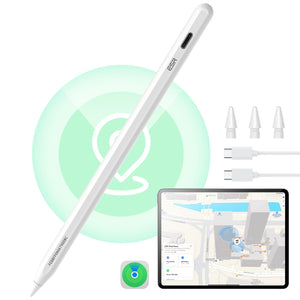
Of course, we also understand that the Apple Pencil is slightly more expensive than the other available options today. Take a look at this list for alternatives to the Apple Pencil and check out the ESR Digital Pencil  available for $63.98 only.

Till next time!

Previous
Samsung Galaxy Note 20 vs Note 20 Ultra: Welches ist das Beste für dich?
Next
How to Speed Up Macbook Pro/Air?

Related Articles

Samsung Wallpaper Size Guide: How to Download, Customize, and Protect Your Perfect Phone Wallpaper

Samsung Wallpaper Size Guide: How to Download, Customize, and Protect Your Perfect Phone Wallpaper

The Complete Director’s Vlogging Kit: Best Smartphone Setups for Every Budget (2026 Guide)

The Complete Director’s Vlogging Kit: Best Smartphone Setups for Every Budget (2026 Guide)

Samsung Galaxy S26 vs. S25: Should You Trade In Your S25 Today?

Samsung Galaxy S26 vs. S25: Should You Trade In Your S25 Today?

what-is-the-ipad-wallpaper-size

iPad Wallpaper Size Chart – All Models 2026 + Legacy (Air, Pro, Standard iPad (Entry-level))

Leave a Comment

Your email address will not be published.

Recent Post

ESR’s Top 10 Best-Selling Products of 2025
ESR’s Top 10 Best-Selling Products of 2025: Your Buying Guide for 2026
by Carolin on February 08, 2026
esr anti-yellowing clear tpu case line
What is a TPU Phone Case? ESR's Model Tested for Protection & Clarity
by Javeria Salam on November 04, 2025
The best iPad Pro cases of 2025: Expert tested and reviewed
Which iPad Pro 13 Case is good for you : Zugu vs. Moft vs. ESR
by Adam on September 16, 2025
Best Cases for iPhone 17
Best Cases for iPhone 17: Which Wins— OtterBox, ESR, Apple, or Casetify?
by Nicky on September 28, 2025
best 5 magsafe iphone 17 cases
Looking for Custom iPhone Cases for New iPhone - Top 4 Options
by Carolin on September 23, 2025
6-best-iPad-Air-11-inch-Cases-With-Pencil-Holder-in-2025
6 best iPad Air 11-inch Cases With Pencil-Holder in 2025
by Sandy on April 16, 2025

Get 20% off with code: BLOG20

Company

  • About Us
  • Our Blog
  • Newsroom
  • Become a Reseller

Products

  • Designed for MagSafe
  • Protective Phone Cases
  • iPad Cases
  • Screen Protectors
  • Wireless Charging
  • Productivity
  • Magnetic Wallets
  • Other Accessories

Community

  • Affiliate Program

Support

  • Setup Videos & FAQs
  • Return and Refund
  • Warranty Policy
  • Shipping Policy

Get 10% OFF Your First Order

Get insider access to new products and promotions.

Payment options:
  • American Express
  • Apple Pay
  • Google Pay
  • Mastercard
  • PayPal
  • Shop Pay
  • Union Pay
  • Visa
  • Klarna Klarna
  • Afterpay
© 2025 ESR All rights reserved.
  • Terms of Use
  • Privacy Policy
  • Legal Declaration
  • Cookie Policy
  • Shipping Policy
  • Return and Refund
  • Do not sell or share my personal information
  • Search

Shopping Cart

Your cart is currently empty.
Add note for seller
Estimate shipping rates
Add a discount code
Subtotal ¥0.00
View Cart

Thank you for choosing to transfer to a human service.

Sorry! The previous responses were from our AI customer service. Since it didn't satisfy you, you've been transferred to a human agent. We'll reply within 24 hours from Mon to Fri and 48 hours on weekends for further help.

Please select the reason for transfer